
Text to sound effects
AI Sound Effect Generator: Describe It, Hear It in Seconds
This AI sound effect generator turns a sentence into the sound you need: a creaking door, rain on a tin roof, a whoosh for a cut, a click for your app. Write it in your own language, get 4 takes side by side, ready to use and at the same loudness, and download a WAV, an MP3 or every take in one ZIP.
Foley
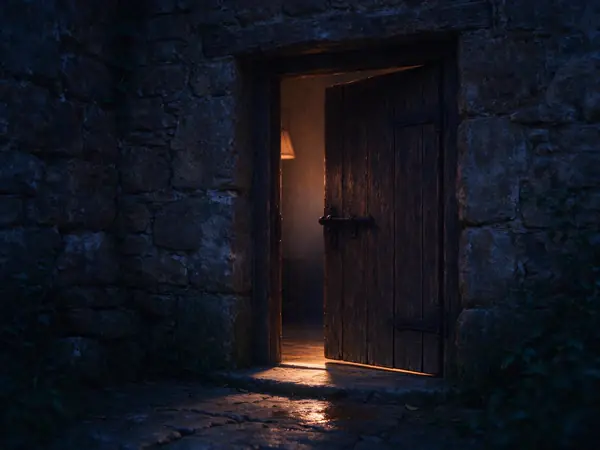
“An old wooden door creaks open slowly, then the latch clicks shut”
4 takes · 5 s each
Generated in our studio from this description and made ready to use, with no other edits.
- side by side from one description
- 4 takes
- describe it as you think it
- Your language
- a take; loops run for minutes
- 1 to 22 s
- seamless loops for ambience
- 60 min
- silence off, even loudness, no clipping
- Ready to use
- 4 takes of 5 seconds
- 7 credits
How do you make a sound effect with AI?
To make a sound effect with AI, describe the sound in a sentence: what makes it, what it is made of, where it happens and how near. Pick a length, turn on Loop for ambience, and the AI sound effect generator returns 4 takes in seconds. Listen, cut the one you like and download it as WAV or MP3.
How to use the AI sound effect generator
Three steps from an idea to a file you can drop on a timeline.
Describe the sound
Write a sentence in your own language, up to 300 characters: "an old wooden door creaks open slowly, then the latch clicks shut". The examples show how a good description reads.
Set the length, loop and takes
Choose 1 to 22 seconds and up to 4 takes. Turn on Loop for rain, wind, a crowd or a hum that should go round without a seam.
Listen, cut and download
Play the takes side by side, cut and fade the one you like, and download a WAV at 48 or 44.1 kHz, an MP3 at 320 kbps, or every take in one ZIP.
What this sound effect generator does for you
A sound effect maker built around the moment you drop the file into your edit: it should sound right, sit at the right level and loop cleanly.

Describe sounds in your own language
Write the description in English, Chinese, Spanish or most other languages. It is turned into the generator’s own words first, so you hear the sound you described.
Takes that are ready to use
Raw AI sound effects come out at very different levels, some with a second of silence at the end and some clipping. Here every one-shot has its silence trimmed and a short fade at the end, loops keep their seam, and every take comes out at the same loudness with no peak over the limit.
Seamless loops, as long as you need
Turn on Loop and the end of the sound runs into its start with no seam you can hear. Then make it longer in your browser: up to 10 minutes as WAV, or 60 minutes as MP3, for a room tone, a storm or a game level.
Four variations, one ZIP
The sound effect generator gives up to 4 takes for each description, so you can choose the best one or keep them all as variations. Download every take in one ZIP, named alike and at the same loudness, ready for a game engine that picks one at random.
Cut and fade each take
Drag the edges of a take to keep just the part you want, add a fade in or out, and play the cut before you download it. The file you get is the sound you heard.
Clear specs and credits
Every take is stereo, as WAV at 48 or 44.1 kHz or MP3 at 320 kbps. You pay one credit for every 3 seconds made, shown on the button before you start, and a run that doesn’t finish gives the credits back.
AI sound effects made from one sentence
Every sample was generated by this sound effect generator from the description on its card and made ready to use, with no other edits. Loops play round, so you can listen for the seam.
Sound effect generator guide: describe a sound so it comes out right
How to describe a sound effect
For AI sound effects that sound right, a good description names the thing that makes the sound, the action, the material and the space around it. "Door" gives you a door; "an old wooden door creaks open slowly in a stone hallway, then the latch clicks shut" gives you the door you imagined.
Say how near it is and how big the room is: "close up", "in the distance", "in a small tiled bathroom", "outdoors in an open field". The space changes the sound as much as the source does.
- 1What makes the sound: a door, rain, a sword, a crowd.
- 2What it does: creaks open, drums on a roof, is drawn from a sheath.
- 3What it is made of: old wood, tin, metal, gravel.
- 4Where it happens and how near: a stairwell, a forest, close up.
Not sure? Start with the examples in the studio and change one word at a time.
Sound effects for videos and short films
For a video, ask for the sound as the picture shows it: a whoosh as the title slides in, a deep impact on the cut, footsteps on wet gravel as someone walks away. Set the length close to the shot, then cut the take to the frame.
Pick WAV at 48 kHz for video projects: it is the rate most editors and cameras use, so nothing is resampled on the timeline.
Game sound effects and variations
Games play the same action many times, and one sound repeated a hundred times gets tiring. Generate 4 takes of the same description and use them all as variations: the ZIP keeps them at the same loudness with the same name and a number, so a game engine can pick one at random.
Keep game sounds short and tight: a sword swing in 1 or 2 seconds, a coin pickup in 1. Turn on Loop for level ambience, engines and machinery that run for as long as the player stays.
Seamless loops for ambience and backgrounds
Ambience is easier to use as a loop: rain, wind, a café, the hum of a ship. With Loop on, the AI sound effect generator makes the sound so its end runs into its start, and the studio plays it round so you can listen for the seam before you download.
A loop downloads as WAV so it repeats with no gap; make it longer in the browser and it can be an MP3 too, up to 60 minutes, for a stream, a study track or a sleep sound.
Interface and app sounds
Interface sounds should be short, soft and consistent: a tap, a toggle, a success chime, an error. Ask the sound effect generator for "short", "soft" and "clean", choose 1 or 2 seconds, and keep the takes that sit together.
Because every take comes out at the same loudness, a set of interface sounds made one after another already matches. Turn the ready-to-use processing off only when you want the raw take.
When a take isn’t quite right
Change one thing at a time: the material, the distance, the speed. "Slow, heavy footsteps" and "quick light footsteps" are different sounds. Counts are hard for any generator: ask for "a dog barks twice" and you may get three barks, so generate a few takes and cut the one that fits.
If the sound has too much going on, describe less. A single clear event sounds better than a list of five.
What people make with an AI sound effect generator
People reach for a sound effect maker when the library doesn’t have the exact sound, or has it in the wrong length.

Videos and reels
Whooshes and impacts that land on the cut, made to the length of the shot.

Games
Swords, pickups and footsteps, with four variations of each.

Podcasts and audio stories
Rain, a storm or a room tone under a scene, looped as long as it runs.

Apps and interfaces
Taps, toggles and chimes that sound like one family.
Film and animation foley
Doors, floorboards and cloth, described the way the scene needs them.

Streams and relaxing backgrounds
A crackling fire or gentle waves, played round for an hour.
AI sound effect generator FAQ
More AI audio tools



Make your sound effect with the AI sound effect generator
Describe the sound, hear 4 takes in seconds, and download the one that fits, ready to use.