
AI voiceover
Text to Speech with Lifelike AI Voices
Turn any script into natural text to speech in seconds. Pick one of 300+ preset voices or design one in the style you like, direct the delivery with tags like [laughs] or [pause], and download MP3, WAV and matching subtitles.
- preset AI voices in 24 languages
- 300+
- languages to read in
- 36
- characters per run
- 5,000
- a voice of your own
- Design · Clone
- subtitles included
- SRT · VTT
- ready to download
- MP3 · WAV
What is text to speech?
Text to speech turns written words into spoken audio. A modern AI voice engine reads a script with natural pacing, breaths and emphasis, so you can make a voiceover for a video, lesson, ad or podcast from your keyboard. Here you type a script, choose a voice, and download the result as an MP3 file with subtitles to match, in the browser on a phone or a computer.
How to convert text to speech in three steps
It takes about as long as reading your script once.
Paste or import your script
Type, paste or import a .txt file of up to 5,000 characters. Add tags such as [laughs] or [pause] where a line needs them.
Choose a voice and delivery
Play the previews and pick one of 300+ preset voices, or a voice you designed or cloned. Set the delivery and speed, or leave them on Auto.
Generate and download
Switch on HD for the richest sound; the button shows the credits first. Listen back, then download MP3, WAV, or SRT and VTT subtitles.
What makes this text to speech stand out
Getting the words right is the easy part. These tools let you direct the delivery too.
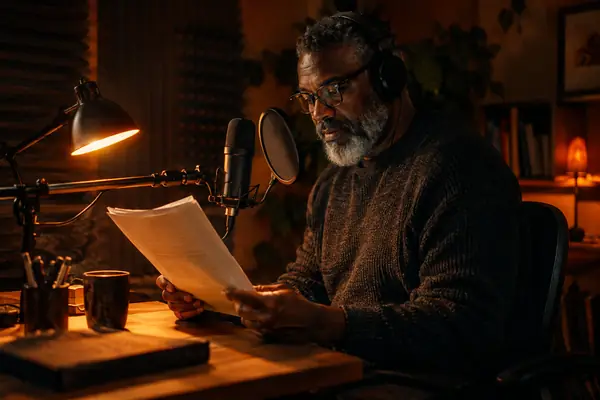
AI text to speech with emotion you direct
Type [laughs] after a joke or [pause] before a reveal. The voice acts each tag out, and every tag has a preview.
Choose from 300+ preset voices
Filter 344 preset voices by language, gender, age and use. Each is original, with its own name and a preview, and when none fits you can design your own.
Design or clone a voice in about a minute
Describe the voice you hear in your head, in any style or for the character you need, such as a gruff pirate captain, or clone your own from a short recording. Only you can use them.
Read in 36 languages
Let it detect the language or pick one. One voice can read the same intro in Spanish, Japanese or Hindi, so your channel sounds the same everywhere.
Text to MP3 with subtitles in sync
Captions usually mean a second tool. Here every MP3 comes with word timings, so SRT or VTT subtitles download already matched to the audio, and a WAV is one click away.
Set the delivery, speed and HD quality
Pick calm, happy, sad, angry or surprised. Slow down for a lesson, speed up for a promo, and switch on HD when the voice is the star.
Explore 300+ preset AI voices
Every preset voice is original. Play any of them and use it above with one click, or design your own for a voice that is yours alone.
Text to speech samples
Every sample below was made with this tool, and each card shows the script it was made from.
Private, safe and responsible
How your scripts and voices are looked after.
Private by default
Your scripts and audio are visible only to you and stay in your own library.
Safety checked
Every script is checked before it is generated, which keeps sexual content involving minors, threats and fraud off the platform.
Original voices
Every library voice was made for this studio and has its own name. Clone your own voice, or one you have the right to use.
Text to speech guide: scripts, voices and delivery
Write a script for the ear
Listeners cannot skim back, so write short sentences with one idea each. Read the draft aloud once before you generate it; anywhere you stumble, the voice will sound unsure too.
Write the way you speak. Contractions such as "you're" sound warmer than "you are". Punctuation sets the pace: a comma gives a short breath, a full stop a longer one, and [pause] a full beat before a reveal.
Open strong. The first sentence of a voiceover decides whether people keep listening, so lead with the benefit or the question and save the details for the second line.
Numbers, names and pronunciation
Numbers are read the way most people say them, but help the engine with anything unusual. Write "two lattes for five dollars" rather than "2 lattes 4 $5", and spell out web addresses the way you want them heard.
For a tricky brand name, try a phonetic spelling and keep the one that sounds right.
Dates, units and short forms read best written out: "March third" rather than "3/3", "ten kilometres" rather than "10km". Put spaces between the letters of an acronym, such as "A P I", when each letter should be heard, and write it as one word when it is said as a word.
Choose the right AI text to speech voice
Match the voice to the listener, then keep it. Listeners recognise a channel or a course by its voice, so one voice per series builds familiarity from the first episode.
- 1Documentaries and explainers: a deep, unhurried narrator who leaves room between ideas.
- 2Product videos and ads: a bright, quick voice with a smile in it.
- 3Courses and training: a clear presenter at a steady pace.
- 4Audiobooks and stories: a warm storyteller, plus a second voice with a clearly different age or accent for dialogue.
Want something the library does not have? Describe a voice such as "a warm grandmother in her seventies, soft and slow", or clone your own from a short recording, and use it like any other voice.
Long scripts: audiobooks, courses and articles
Each run reads up to 5,000 characters, so a long text to speech project is a series of runs in the same voice. Planning the split keeps a whole book or course sounding like one session.
- 1Split at natural breaks such as chapters, lessons or scenes, and keep each paragraph whole.
- 2Use the same voice, delivery and speed for every part, and note them at the top of your script.
- 3Name each download by its order, such as 01 Introduction, so the files line up in your editor.
- 4Listen to the first minute of each part before you move on; an early fix keeps every later part on track.
Text to MP3, WAV or subtitles: which file to download
Text to MP3 is the everyday choice: small files that play everywhere, ready for a website, a social post or a podcast host.
Download WAV when the voiceover goes into a video or audio editor for mixing, so music, effects and the voice keep their full quality through the edit.
Add SRT or VTT subtitles for video. They come from the same word timings as the audio, so the captions match the voice line for line. Most video editors accept SRT, and VTT is the format web players read.
Text to speech for listening and accessibility
It also works the other way round: listen to what you would otherwise read. Turn a long article, your study notes or a report into an MP3 and play it on a walk or a commute. Hearing a draft read back is one of the quickest ways to catch clumsy sentences, too.
Audio versions make content easier to enjoy for people who prefer listening, are learning a language or find long text tiring. A voiceover with matching subtitles serves readers and listeners in one go.
What people make with it

YouTube and short videos
Narrate explainers and faceless channels from a script alone, with subtitles ready to upload.

Podcast intros and ads
Make a consistent intro, outro or sponsor read, and update it when the details change.
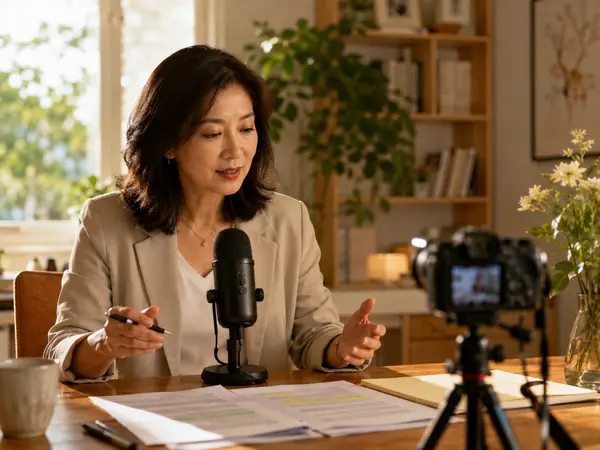
Online courses and training
Turn lesson scripts into clear narration, and regenerate one paragraph when a module changes.

Games and animation
Voice placeholder lines, NPC barks and animatics long before casting.

Accessibility
Offer an audio version of announcements, guides and posts for people who prefer to listen.
What text to speech costs
Credits follow the length of your script: 10 credits for every 1,000 characters, or 17 in HD. Drag to see what yours costs.
Script length
900
Credits
9
HD 16
About this long
1 min
10 credits per 1,000 characters, rounded up (HD: 17). Up to 5,000 characters per run.
Text to speech FAQ
More AI audio tools



Turn your next script into speech
Paste a script, choose a voice and hear the result in seconds.