
AI stem separation
AI Vocal Remover: Split Vocals from Music
This vocal remover splits a song into a clean vocal track and an instrumental in one run, with the drums, bass and other instruments as separate tracks too. Upload a song, compare the tracks in sync, and download each one as WAV.

Paper Lanterns
Pop ballad · Female lead vocal
An original song made on this site
- per song, up to 200 MB
- 15 min
- vocals, instrumental, drums, bass, other
- 5 tracks
- downloads for everyone
- WAV
- compare tracks as you listen
- In sync
- credits per minute
- 8
- visible only to you
- Privacy protected
How do you remove vocals from a song?
To remove vocals from a song, upload the audio file and start the vocal remover. AI separates the voice from the music and returns a vocal track and an instrumental, plus drums, bass and other. Play them together to check the result, then download the tracks you need as WAV.
How to use the vocal remover in three steps
The AI does the splitting for you, in a few clicks.
Upload your song
Drop in an MP3, WAV, M4A, FLAC, OGG or WEBM file of up to 15 minutes. The length and the credits show before anything runs.
Separate it
Sign in and start. The AI pulls the vocals away from the music and builds the instrumental, with drums, bass and other as extra tracks. You can leave the page while it works.
Listen and download
Play the original, the vocals and the instrumental in sync, switch between them, then download each track as WAV.
Why use this AI vocal remover
Every run comes with the full song, every stem and lossless files, all at one price.

Hear the vocals and the instrumental in sync
Checking a split usually means lining files up in an editor. Here the original, the vocals and the instrumental share one timeline: switch between them mid song and hear exactly what was taken out.
Four stems from every song, same price
Each run returns the vocals and the instrumental plus drums, bass and the other instruments as their own tracks. Credits count the minutes of the song, so the full split comes at the same price as two tracks.
WAV downloads for everyone
Every track you separate here downloads as uncompressed, lossless WAV, ready for a music editor, a video timeline or a karaoke app.
Songs up to 15 minutes
Live recordings and long mixes often run past a short upload cap. Split up to 15 minutes and 200 MB per song in one go, with the credits shown before you start.
Instrumentals for karaoke and practice
Take the voice out to sing over the band, practice an instrument against the rhythm section, or pull the vocal from your own demo to remix it.
Private to you, privacy protected
Songs are personal and often unreleased. Your uploads and tracks are visible only to you and stay in your own library, ready whenever you come back.
Vocal remover samples
Every sample is an original song made on this site and separated by this tool, shown exactly as it came out. Play a song and switch between the original, the vocals and the instrumental.
How your songs are protected
Your music stays yours, point by point.
Private by default
Your uploads and separated tracks are visible only to you and stay in your own library.
Straight from your device
Every song comes from your own upload, straight from your phone or computer.
Lossless from start to finish
The tracks you download are the same uncompressed WAV files you hear in the studio, each one as long as your song.
Ready on any device
Upload, compare and download on a phone, a tablet or a computer, right in the browser, and pick up later from your library.
Vocal remover guide: karaoke and clean stems
AI separation versus the old center channel trick
Older vocal removers cancel whatever sits in the middle of a stereo mix. That also takes out the bass and kick drum and leaves reverb and backing vocals behind. An AI vocal remover listens for the voice itself, so it works on mono recordings and keeps the low end of the music.
Clean, well recorded songs split best. With dense mixes, heavy distortion or vocals that share a range with guitars, play the instrumental against the original before you use it.
Which songs split best
Separation works best when the voice and the music each have their own space. Studio recordings with a clear lead vocal, acoustic sessions and most pop, hip hop and electronic tracks split cleanly.
Live recordings with crowd noise, dense rock mixes and songs where a choir doubles the lead reward a closer listen: play the instrumental against the original, check the quiet passages, and keep the version that suits your project.
How to make a karaoke version of a song
A karaoke track is a song with the lead voice taken out. Four steps take you from a song file to a backing track you can sing over.
- 1Upload the song and start the vocal remover.
- 2Play the instrumental in sync with the original and switch between them in the chorus, where the voice is loudest.
- 3Download the instrumental as WAV and load it into your karaoke or lyric video app.
- 4Keep the vocal track too, at a low level, as a guide voice while you learn the words.
Use it as a vocal isolator for lyrics, covers and remixes
Run the other way, the same tool is a vocal isolator: the vocal track holds the lead and backing voices on their own. Listen to it to write down lyrics, learn a harmony by ear, or study how a singer phrases a line.
For a remix of your own song, pull the vocal from the finished demo and build a new arrangement under it. The vocal starts at zero and runs the full length of the song, so it drops into your project in time.
Instrumentals for videos and podcasts
Music with words competes with a voiceover. Remove vocals from a song of your own, and the instrumental sits under narration, a podcast intro or a product video while the speaker stays clear.
Set the instrumental a little lower under speech and bring it back up between sentences; the voice stays in front and the music keeps its energy.
How to get cleaner stems
Start from the best source you have: a WAV or a high bitrate file separates more cleanly than a heavily compressed copy. If a faint voice remains in a quiet passage, rebuild that bar from the drums, bass and other tracks.
Compare in the chorus first. The loudest part of the song shows the result most clearly, so a quick listen there tells you whether the split suits your project.
Practice with the drums, bass and other tracks
Every run of the AI vocal remover also returns drums, bass and other as their own tracks. Musicians use them to practice: play bass along with the drums alone, or keep everything except the guitar part you are learning. For a full split with a mixer, open the stem splitter.
What people use a vocal remover for
Use it on a phone or a computer, to take the voice out or to keep only the voice.

Karaoke nights
Turn a song into a backing track to sing over at home or on stage.

Singing practice
Rehearse with the instrumental, then compare your take with the isolated vocal.

Instrument practice
Play along with the drums and bass while you learn a part.
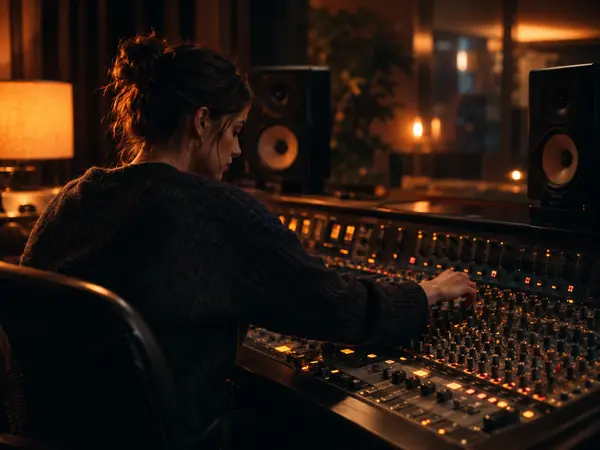
Remixes of your own songs
Pull the vocal from a finished demo and build a new arrangement around it.
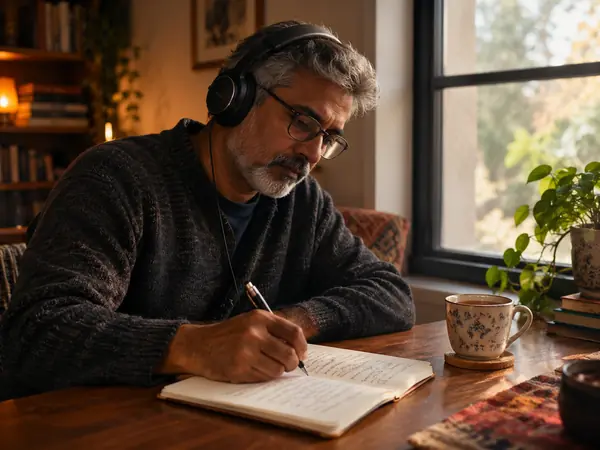
Vocal isolator for lyrics
Hear the voice on its own to write down lyrics or study a melody.

Music for video
Use the instrumental of your own track under a voiceover or a podcast intro.
Vocal remover FAQ
More AI audio tools



Try the AI vocal remover on your next song
Upload a song and get the vocals, the instrumental and every stem as WAV, checked side by side before you download.