
Background music from words
AI Music Generator: Turn a Description into a Track
This AI music generator writes original background music from a short description. Say what the scene needs, such as a calm piano for a study vlog or driving drums for a trailer, add a genre and a mood, and a full-length instrumental is ready to play and download as MP3.
- describe it in your own words
- Text to music
- by default, vocals one switch away
- Instrumental
- one complete track per run
- Full-length
- genre tags to start from
- 13
- download every track you make
- MP3
- credits per track
- 60
How does an AI music generator work?
An AI music generator turns words into sound. You describe the genre, mood, instruments and tempo, and the AI composes and performs an original instrumental that follows them, from the first bar to a proper ending. Here you type the description, pick tags if you like, and download the finished track as an MP3.
How to make music with the AI music generator
Three steps, from an idea to a track you can drop into your edit.
Describe the music
Write what you hear in your head: the genre, the mood, a few instruments and the speed. Add genre tags to steer it, or leave everything on automatic and let the description lead.
Generate
Sign in and start. The button shows the credits for the track before you click, and you can keep working while it plays out.
Listen and download
Play the track in your browser, follow the waveform, and download the MP3 when it fits the scene.
What you get from this music generator
Background music should take minutes. These parts take you from a scene to a finished soundtrack.

Text to music in plain words
Write the brief the way you would explain it to a composer: "warm lo-fi beat with soft keys for a rainy study session" or "epic orchestral rise with taiko drums for a game trailer". The more you say about mood, instruments and pace, the closer the track lands.
Genre and mood tags to steer the sound
Pick from 13 genres, from lo-fi and ambient to house, jazz and rock, and mix in a mood. Tags join your description, so one sentence and two clicks are enough for a clear direction.
A full-length track with a real ending
Each run composes a complete piece with an intro, development and an ending, long enough to carry a video, a podcast segment or a whole game level.
Instrumental first, vocals when you want them
Background music stays instrumental by default, so it sits under speech. Switch vocals on and it writes lyrics to match your description and sings them. For your own lyrics, use the AI song generator.
Every track downloads as MP3
Every track you make is yours to download as an MP3, ready for video editors, podcast tools and game engines. Your description stays next to the track, so you can make the next one in the same style.
Private to you
Your descriptions and tracks are visible only to you and live in your own library, ready whenever you come back to the project.
AI music generator samples
Every track below was made on this page from the description shown with it. Play one, then read the words that made it.
How your music is protected
What happens to your descriptions and tracks, point by point.
Visible only to you
Descriptions and tracks stay in your own library, for your ears only.
Original sound
Describe genres, moods and instruments, and every track is composed fresh for you.
Checked for safety
Descriptions and finished tracks are checked to keep the music suitable for everyone who hears your project.
AI music generator guide: write prompts that sound right
How to describe music for an AI music generator
Start with the use, then the genre: "background for a cooking video, upbeat acoustic pop" beats a single word like "happy". Add two or three instruments, a tempo word such as slow, mid tempo or driving, and the mood you want the listener to feel.
Describe shape when it matters. "Starts quiet, builds to a big chorus at the end" or "steady and even all the way through" tells the AI how the energy should move across the track.
Instrumental or vocals?
Choose instrumental for anything with a voiceover: tutorials, podcasts, ads and vlogs. Words in the music compete with words on top of it. Switch vocals on for a theme song, an intro jingle or a short you want people to hum.
Styles that work for video, games and podcasts
Lo-fi and soft piano suit study, cooking and travel vlogs, because they stay warm and steady under a voice. Ambient pads sit well under meditation and sleep content. Orchestral and cinematic builds fit trailers, intros and game menus, while house, funk and pop keep product videos, ads and fitness clips moving.
For games, describe the place and the moment: "a sunny village market, light flutes and plucked strings" or "a tense cave, low drones and slow drums". Ask for one track per area, and keep the instruments related so the whole game sounds like one world.
Podcasts like warm, simple intros with a clear start and finish, so ask for a short build and a clean ending.
Text to music prompt examples
A good description names the use, the genre, a few instruments and the mood. Borrow one of these and change a word or two to make it yours.
- 1Study vlog: "mellow lo-fi with warm electric piano, soft vinyl crackle and slow dusty drums, calm and cosy".
- 2Product launch: "bright modern pop with punchy drums, clean guitar and claps, upbeat and confident".
- 3Game boss fight: "dark orchestral, pounding taiko drums, fast strings and brass hits, tense and heroic".
- 4Meditation: "slow ambient pads and soft chimes, no drums, wide and peaceful".
- 5Podcast intro: "upbeat funk groove with slap bass and horns, a short build and a clean ending".
Fit the music to your video
Each run of the AI music generator makes a full track with an intro, a middle and an ending, so you have room to choose the part that fits. Ask for "a short intro and a clean ending" when the music has to start and stop with the picture.
Line up a strong beat or a change in the music with a cut, and let the track fade at a scene change. A soundtrack that moves with the edit feels made for it.
Music AI under a voice
Background music often sits under a voice, so leave space for it. Busy guitars and lead synths share the voice’s range; piano, pads, plucked strings and soft drums sit comfortably underneath speech.
In your editor, set the music well below the voice and raise it in the gaps between sentences. Pair the track with a text to speech voiceover, or split it with the stem splitter to lower only the drums under a key line.
Make the next version better
Change one thing at a time. If the drums are too busy, say "light percussion"; if it feels too sad, swap the mood tag; if it needs more lift, ask for a bigger finish. Keep the parts of the description that worked, and each new track moves closer to the sound you want.
Save the descriptions you like. A small set of them becomes your channel sound, and every new episode or level gets music that belongs with the last one.
What people make with it
Creators reach for it whenever a project needs a soundtrack that fits the picture exactly, in minutes and in the right mood.

YouTube and short videos
Background music that matches the pace of the edit.
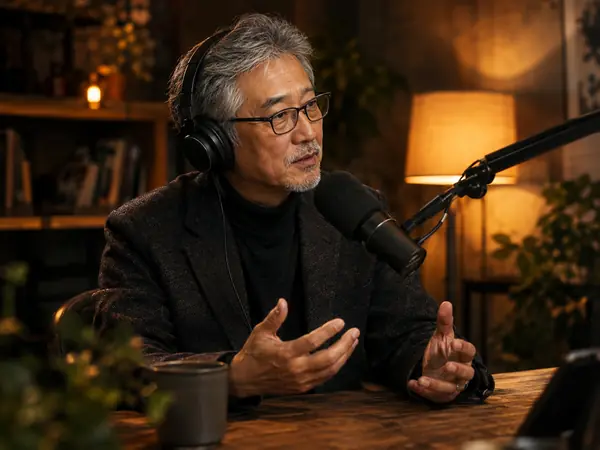
Podcast intros
A signature theme for the opening and the outro.

Game soundtracks
Menu themes, level music and boss battles in any style.

Ads and product videos
Upbeat beds that keep a product demo moving.

Study and focus
Calm lo-fi and piano for long sessions at the desk.

Sleep and meditation
Slow ambient pads for guided sessions and wind down routines.
AI music generator FAQ
More AI audio tools


Score your next video with the AI music generator
Describe the scene, pick a style and hear an original track in your browser.