
AI voice design
AI Character Voice Generator: Create a Custom Character Voice from Text
Create a custom character voice from a text description. Tell the AI character voice generator who is speaking, or pick gender, age, accent, sound and style, and a brand new voice for your pirate, villain or robot is ready in about a minute.
Start from a character
Describe your character's voice
Say who is speaking, how they sound and how they speak. Don't name real people or characters.
0/500Opens in the studio · Ready in about a minute
- from description to a new voice
- About 1 min
- characters for your description
- 500
- preset voices included, in 24 languages
- 300+
- reuse your voice in text to speech
- Any script
- private voices per account
- 20
- credits per designed voice
- 500
What is an AI character voice generator?
An AI character voice generator creates a new voice from a written description of a character: who they are, how old they sound, their accent and the way they talk. Instead of searching a list for something close, you describe the voice you hear in your head and use it on any script.
How to create a custom AI voice for your character
Three steps and about a minute of waiting.
Describe the character
Write who is speaking in up to 500 characters, or pick gender, age, accent, sound, pace and style from the menus. The full description builds as you go.
Listen to the preview
Choose a line of up to 300 characters. In about a minute your character reads it, and the voice is saved in My voices.
Voice any script
Open the voice in text to speech and give it a whole scene, with [laughs], [sighs] or [pause] for the acting.
What this character voice generator can do
Your character gets a voice made for it. Here the voice starts from your idea, and a ready-made cast waits when you need one now.
A custom AI voice from one description
Hunting a library for "close enough" can eat an afternoon. Write casting notes instead, such as "a gruff pirate captain in his sixties with a deep, gravelly, booming voice", and get a new voice with that age and texture in about a minute.
Build a voice from 6 quick picks
Stuck for words? Pick a gender, an age from child to senior, an accent, a sound such as warm, raspy or breathy, a pace and a style like villain or cartoon. The description writes itself, and you can edit every word.
Start now with 300+ preset voices
In a hurry? The studio first suggests preset voices that already sound close to your description. Each has a portrait and a name, in 24 languages, and the Characters filter gathers the ones made for roles.
Keep a cast of up to 20 private voices
A designed voice is saved in My voices, private to you, so episode twenty sounds like episode one. Direct each line with [laughs], [sighs] or [pause], and add invented names such as Zyrrak to the pronunciation list.
Ready-made character voices to use right now
Browse 300+ preset voices with portraits, filter by Characters and use any of them straight away, or design a new one for the role you need.
Character voice samples
Six voices designed from the description on their card, and six library voices playing a role. Send any description to the designer with one click.
Character voice generator guide: villains, creatures and anime
How to brief the AI character voice generator
The generator works like a casting director: the clearer the brief, the closer the first take. Cover five things and most descriptions land on the first try.
- 1Who: the role and its place in the story, such as a shopkeeper, a narrator or a final boss.
- 2Age and gender: "a teenage boy", "a woman in her forties", "a very old wizard".
- 3Texture: one or two sound words such as warm, raspy, breathy, bright or gravelly.
- 4Pace and energy: slow and deliberate, quick and excited, calm and steady.
- 5Attitude: kind, smug, nervous, playful or menacing, the feeling behind every line.
Pick from the menus first, then edit the sentence they build. It is the quickest way to a full brief, and every word stays yours to change.
Villain voices
Memorable villains rarely shout. Controlled menace comes from a slow pace, a low or smooth sound, and polite words with something cold underneath. Compare "a scary man" with "a cold, elegant villain in his fifties with a smooth, low voice, speaking slowly and precisely". The second gives the voice an age, a texture, a pace and an attitude to work from.
For a brute rather than a schemer, swap smooth for raspy and speed up the pace. Give the preview a line that sounds like an invitation and feels like a threat.
Fantasy creature and robot voices
Non-human characters still need a human anchor. Describe the creature, then the sound: "a tiny forest sprite with a light, airy, sparkling voice, quick and giggly", or "a friendly service robot with a bright, slightly metallic, evenly paced voice". Words like metallic, airy or rumbling set the texture.
Think about size and age, too: an ancient dragon might be "very old, deep and slow, with a rumbling voice and long pauses". Keep its lines in plain language and let the voice carry the strangeness.
Anime and cartoon voices
Anime voices are expressive and a little larger than life, so name the archetype and the energy: "a cheerful teenage girl with a bright, high, quick voice". Cartoon voices push one quality further: "a tiny, excitable mouse with a squeaky voice who talks fast".
Write the big moments into the script as well. A [pause] before a reveal or a punchline, and a [laughs] after a victory line, let the voice react the way the genre expects.
Cast a whole story
Games, audio dramas and animated series need voices that are easy to tell apart. Vary at least two of age, pitch, pace and accent between characters who share a scene: a quick, bright young hero next to a slow, deep mentor is always clear.
Keep a cast sheet with each character’s description and preview line. When the story adds a new face, the sheet shows which sounds are taken, and a new custom AI voice fills the gap in about a minute.
Choose a preview line that shows the character
The preview line is the audition. Choose a line of up to 300 characters that shows attitude as well as information: "You came all this way for a map? How adorable." tells you far more about a villain than "Welcome to the castle".
Add one tag where the character would react, a [laughs] or a [pause], and listen to how the voice carries it. When the feeling is right in one line, it carries a whole scene.
Create AI voice variations and keep the best
When a voice is close, change one word in the description and create it again: raspy to smooth, slow to measured, fifties to seventies. Two versions side by side make the right one obvious.
Name each voice after its character, such as Captain Rook, and it waits in My voices, ready for text to speech. Episode twenty then sounds exactly like episode one.
What people make with a character voice generator
Games and NPCs
Voice every shopkeeper, guard and boss long before casting.

Animated shorts
Cast a whole short from descriptions, then voice each scene with the saved voices.
Audiobooks with many characters
Give each character a distinct voice, so listeners always know who is talking.
Video channels
Give a recurring mascot a voice that viewers recognise in every upload.
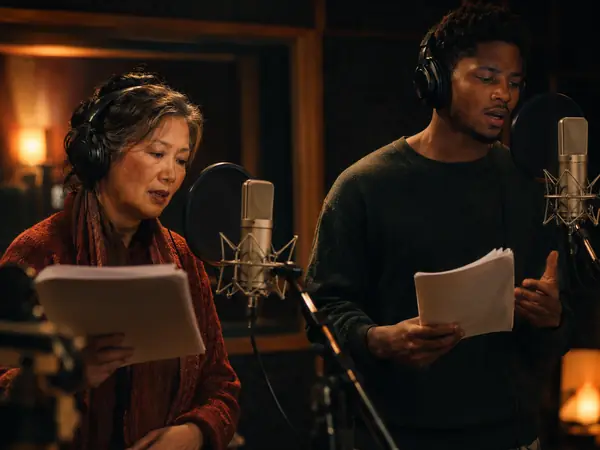
Podcast dramas
Voice a full cast of audio fiction, and add a character the moment the plot needs one.
AI character voice generator FAQ
More AI voice tools

Design a voice for your next character
Describe who is speaking, and the AI character voice generator gives you a new voice in about a minute, ready for every scene.