
Four stems from one song
AI Stem Splitter: Vocals, Drums, Bass and Other
This stem splitter takes a finished song apart into four stems: vocals, drums, bass and other, with the instrumental as a fifth track. Solo and mute each stem in a mixer on the page, then download WAV files that line up from the first beat in any DAW.

Mirrorball Avenue
Funk disco · Female vocal
- Original
- Vocals
- Drums
- Bass
- Other
An original song made on this site
- vocals, drums, bass, other
- 4 stems
- every stem, every account
- WAV
- same length, starting at 0:00
- Aligned
- per song, up to 200 MB
- 15 min
- credits per minute
- 8
- stems visible only to you
- Privacy protected
What is a stem splitter?
A stem splitter is an AI tool that takes a mixed song apart into its main parts, called stems. This one returns four, vocals, drums, bass and other, where other holds the guitars, keys and synths, plus the instrumental. Every stem is a WAV as long as the song, so the files stack back into the original in any editor.
How to split a song into stems in three steps
Upload, split, then mix before you download anything.
Upload a song
Add an MP3, WAV, M4A, FLAC, OGG or WEBM file of up to 15 minutes and 200 MB. You see its length and the credits before you start.
Split it
Sign in and run the stem splitter. Each part goes to its own track, and you can close the tab while it works.
Mix and download
Solo the drums, mute the vocals or lower the bass in the mixer, then download the stems you need as WAV.
What this AI stem splitter gives you
Most of the work with stems starts after the split: checking them, lining them up, paying per part. These parts take care of all three.

Mix the four stems before you download
Hearing one stem alone usually means importing files into an editor. Here a mixer plays the original and all four stems on one clock: solo the bass, mute the drums, set levels, and download once the split sounds right.
Split a song into stems: vocals, drums, bass, other
Vocals hold the lead and backing voices. Drums keep the kick, snare, cymbals and percussion. Bass carries the low line. Other gathers guitars, keys, synths, strings and pads, so every part of the mix has a home.
WAV stems that line up in your DAW
Every stem has exactly the length of the song and starts at zero, so they stack in time on separate tracks from the first beat. Files arrive as uncompressed WAV, named after the song and the stem.
Four stems for the price of two
Credits count only the length of the song, so the full four stem split costs the same per minute as two tracks.
Practice tracks for drums, bass and guitar
Mute the drums and play the part, drop the bass to learn a line by ear, or keep the rhythm section to rehearse a solo. Every part has its own track, so you hear exactly what you play.
Private stems, privacy protected
Unreleased mixes stay yours. Uploads and stems are visible only to you and stay in your own library, ready for your next session.
Stem splitter samples
Every sample is an original song made on this site, split by this tool and shown as it came out. Play one, then solo or mute each stem.
How your songs and stems are protected
Your mixes stay yours, point by point.
Only you can hear them
Uploads and stems stay in your account, for your ears only.
Straight from your device
The splitter works on the files you upload from your phone or computer.
Stem splitter guide: the four stems and your DAW
What each of the four stems holds
Vocals carries lead vocals, harmonies and ad libs. Drums takes the kit and most percussion. Bass is the bass guitar or synth bass under the song. Other is everything left: guitars, piano, keys, pads, strings and horns.
Other is the busiest stem. To get one guitar or piano part alone, start from other and cut it in your editor.
Four stems or more?
Four stems cover most remix, DJ and practice work. Finer splits pull single instruments out of other, which helps for sampling one part, but each extra cut gives sounds more room to bleed. Start with four and check what other already holds.
How to get cleaner stems
Split the best copy you have: a WAV or a high bitrate file keeps more detail for the AI to work with than a heavily compressed copy of the same song. Sparse arrangements split most cleanly; walls of distorted guitars or heavy reverb can leave faint bleed between drums and other. Solo each stem in the mixer before you download, with the original as your reference.
How to import stems into a DAW
Download the stems, open a new project and drag all the files in at once, each onto its own track at bar one. They line up because every file starts at zero and runs the full length of the song. Set the tempo, then loop, cut and process each part.
Stems for DJs: acapellas, instrumentals and live edits
DJs use stems to build edits a finished file cannot give them: an acapella from the vocals stem over another track’s drums, an instrumental intro from drums and bass, or a breakdown with the vocal alone.
Match the tempo and key of the two tracks first, then bring in one stem at a time. Starting from the drums keeps the groove steady while you build the blend.
Practice and learn by ear with a stem separator
A stem separator turns any song into a practice track for your instrument.
- 1Drummers: mute the drums and play the part with the band.
- 2Bass players: solo the bass to hear every note, then mute it and play the line yourself.
- 3Singers: lower the vocals to practice harmonies, or solo them to learn the phrasing.
- 4Guitarists and keyboard players: start from other, where your part lives with the rest of the band.
Remixes and sampling
A remix starts with the parts you want to keep. Split a song into stems, keep the vocal and the bassline, and write new drums and chords around them; or loop a two bar fill from the drums stem as the seed of a new beat.
Name each stem in your project the way it arrives, song and stem together, and the session stays easy to follow when you come back to it.
Bounce the stems you change to new files and keep the originals as they are. The clean split is always there to go back to.
What people use a stem splitter for
Producers and DJs use a stem splitter to make music; players use a stem separator to learn it.

Remixes
Rebuild a track around the vocal stem of your own song.

DJ edits
Bring drums and bass forward for intros and transitions.

Sampling your catalog
Lift a riff or a chord stab from the other stem of an old session.
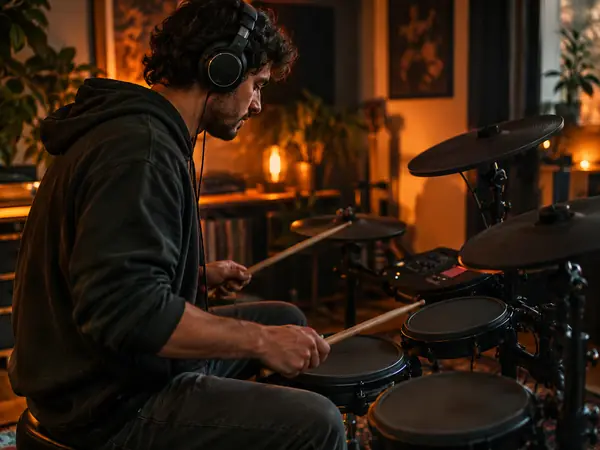
Drum practice
Mute the drum stem and play the part along with the band.

Bass practice
Drop the bass, work out the line by ear, then check it against the stem.

Transcribing parts
Solo one stem to write out a part, a groove or the chords.
Stem splitter FAQ
More AI audio tools



Split your next song with the AI stem splitter
Upload a song, mix the vocals, drums, bass and other in your browser, and take aligned WAV stems into your DAW.