
Drumless track first, drums alone beside it
Drum Remover: Play Along With the Drumless Track
This drum remover takes the drums out of a finished song and gives you both sides: the song without them, to play your own part over, and the drums on their own. The song’s tempo and key show as it uploads, and the drumless track goes to the speed changer in one click when a fill needs slow practice.
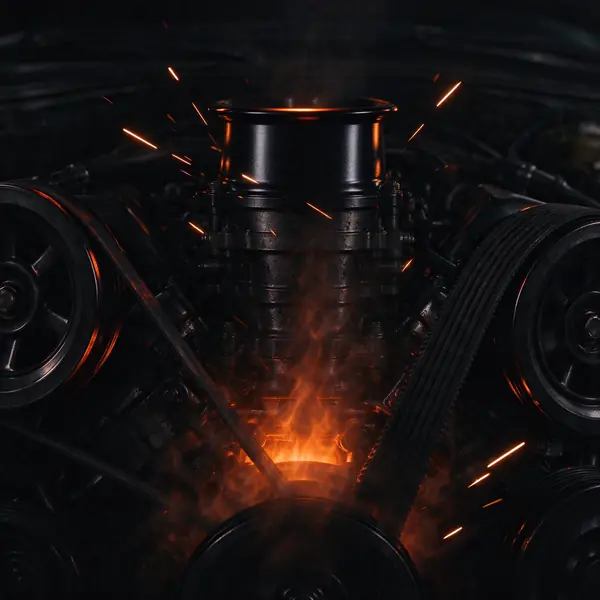
Engine Heart
Hard rock · Raspy rock vocal
139 BPM · E minor (9A)
Split in the studio from a song made on this site, shown exactly as it came out. Tempo and key come from the site’s own analyzer, only where they read clearly.
- from one run, WAV or MP3
- Drumless + drums
- read in your browser
- BPM + key
- loop and slow down in the player
- 0.5× to 1.5×
- per song, up to 200 MB
- 15 min
- credits per started minute, every track
- 8
- with the sign-up credits
- 7 min
What is a drum remover?
A drum remover is an AI tool that splits a mixed song into its parts and leaves the drums out, so you hear the vocals, the bass and the other instruments without the kit. This drum remover also hands you the drums alone from the same run, and the song’s tempo and key where they read clearly, so drummers can practise over the drumless track and producers can work with the drums.
How to remove drums from a song in three steps
Upload, split, and the result opens on the drumless track.
Upload the song
Sign in and add an MP3, WAV, M4A, FLAC, OGG or WEBM file, or a video such as MP4 or MOV, of up to 15 minutes. The tempo and key show while it uploads, wherever the analyzer is sure of them.
Remove the drums
Start, and the drum remover splits the song into vocals, drums, bass and other. You can close the tab while it works.
Take the drumless track
The result opens with the drums silent. Download the drumless track as WAV or MP3, the drums alone as WAV, or any of the four stems.
What this drum remover gives you
Two files from one run, the numbers you need to play along, and the low end where you expect it.
The drumless track and the drums alone
The drum remover opens with the drums muted and the rest of the song playing. The first button saves the drumless track as a WAV, mixed in your browser from the vocals, bass and other stems; an MP3 at 320 kbps sits beside it, and the drums alone come as a WAV. Both files are the song’s full length and start at 0:00, so they line up in any editor.
The kick goes with the drums, the bass stays
The low end is where a drum remover is hardest: the kick drum and the bass share the same notes. On this page’s songs we measured where the sound below 100 Hz went. On songs with a kick drum, played or programmed, 55 to 76% of it was in the drums. On the trap song here and its Chinese version, whose 808 plays the bass line, 63 to 81% stayed in the drumless track, so the groove under your playing keeps its bottom.
Tempo and key for practice
Your browser reads the song as it uploads, at no charge, and shows the BPM and key it is sure of. In the player, set a loop around a fill and slow every track to 0.75× or 0.5× with the pitch kept; or send the drumless track to the speed changer or the pitch changer, which run in your browser at no cost.
Four stems for your own mix
Every run also makes the four stems: vocals, drums, bass and other. Mute and solo them in the player, keep the drums low instead of gone, or export the mix you hear. The stem splitter gives the same tracks with the full mixer first.
Drum covers and music videos
Drop an MP4 or MOV and its sound is taken out in your browser before anything uploads. The result is audio: the drumless track and the drums, ready for a new cover video.
One price for every track
You pay 8 credits per started minute of the song and get the drumless track, the drums alone and the four stems from the same run.
Drum remover samples
Six songs made on this site, each run through this drum remover and shown as it came out: hard rock, funk, boom bap, reggaeton, house and a trap song with an 808. Switch between the song, the drumless track and the drums while it plays.
Drum remover guide: practise, sample and check
What goes where when you isolate drums
To isolate drums, the AI sorts sound by what it is. The whole kit goes to the drums track together: kick, snare, hi-hats, cymbals, toms and hand percussion. The vocals, the bass and the other instruments make the drumless track.
A few sounds sit on the line. A drum machine pattern counts as drums. An 808 that plays the bass notes counts as bass, so it stays in the drumless track, as the trap sample shows. A clap or a shaker usually goes to the drums.
Practise over the drumless track
Start at the song’s tempo with the drumless track playing and count in from the vocals. When a fill or a groove change trips you up, loop that bar in the player and slow it to 0.75× or 0.5×; the pitch stays, so the bass and the vocals still sound right. Raise the speed a step at a time.
The BPM on the result sets your click. For a reading like 139 / 70, take the one that matches the feel: rock and trap often read at double time.
- 1Play the drumless track at full speed once.
- 2Loop the hard bar and slow it to 0.75× or 0.5×.
- 3Set your click to the BPM on the result.
- 4Open the speed changer to keep a slower copy.
Use the drums alone
The drums track is useful on its own. Producers loop a break for a sample, drummers transcribe a part by ear, and teachers play a groove to a class. The drums track keeps the whole kit and the room around it, so a live drum sound stays live.
Listen in the quiet parts too. On dense songs a faint trace of the singer can stay under the drums; in our samples it did on two songs of six, and it sits well under the kit.
Choose the best copy of the song
Start from a WAV or a high bitrate file before you remove drums from a song. Cymbals carry a lot of fine detail, and the more of it the file keeps, the cleaner the line between the drums and the rest.
Take a drum cover video further
Film yourself playing over the drumless track, then put your own audio under the video in your editor. The drumless track and the drums are the same length as the song, so the original drums can come back for a side by side.
Keep the drums alone at a low level under your take while you learn: you hear where the original sits without losing your own sound.
Drum remover or stem splitter?
Same engine, same tracks, same price. The drum remover opens with the drums muted and the drumless track as the first download, with the tempo and key for practice. The stem splitter opens on all four stems with the full mixer, and the vocal remover takes the voice out instead.
What people use a drum remover for
Drummers remove drums from a song to practise, producers sample the drums, and teachers play both in class.
Drum practice
Play the part yourself over the band, vocals and bass.
Drum covers
Record a cover over the drumless track, then film it.
Sampling a break
Isolate drums from a song you made and loop a bar.
Lessons
Play a groove alone, then the song without it.
Re-drumming a demo
Replace a drum machine with a played kit on your own song.
Learning by ear
Hear every hi-hat and ghost note on the drums alone.
Drum remover FAQ
More audio tools

Try the drum remover on your next song
Upload a song, take the drumless track and the drums alone as WAV or MP3 with the tempo and key, and start playing.