Best Stem Splitters in 2026: Four Stems, WAV and Your DAW
The best stem splitter for remixes, practice and acapellas, compared by stems, price and what each tool includes, starting with Audio AI Studio.
Audio AI Studio7 min read
On this page
Looking for the best stem splitter? Audio AI Studio, the all-in-one AI audio studio for voices, music, vocals and transcripts, takes a finished song apart into vocals, drums, bass and other, adds the instrumental as a fifth track, and lets you solo and mute every stem in a mixer before you download WAV files that line up in any editor. Songs, voices and transcripts share the same account.
What follows compares five tools, goes through Audio AI Studio part by part, and ends with a brief note on each of the rest.
How to choose a stem splitter
Most people searching for the best stem separator want one of four things: a remix, a practice track, an acapella, or a sample. These seven points narrow the choice:
- The stems you need. Four stems cover most remix and practice work: vocals, drums, bass and everything else. More stem types help when you want one guitar, piano or synth on its own.
- The file you get. WAV keeps the full quality and opens in any editor that reads it; MP3 is smaller but already compressed. Check the format and whether the files run the full length of the song.
- Whether the stems line up. Every stem should start at zero and last as long as the song, so dropping them onto tracks together rebuilds the original mix.
- Song length and file size. A long track or a large WAV can hit a limit. Check the cap before you plan a whole album.
- How the minutes are counted. Some tools charge per minute of the song, some multiply the minutes by the number of stem types. Work out the price of a normal session.
- What else the tool does. A mixer, a key and tempo reading, an acapella or karaoke page: the steps around the split decide how much work is left afterwards.
- How clean the split sounds. Listen to a dense chorus: faint bleed between drums and other is where separation shows. Try one song you know before a session.
The best stem splitters at a glance
| Tool | Made for | Price and limits |
|---|---|---|
| Audio AI Studio | Four stems plus the instrumental, mixed in the browser before download | 8 credits per started minute; up to 15 minutes a song; the sign-up gift splits about 7 minutes |
| LALAL | Vocals, instrumental and individual instruments, picked one at a time | Free Starter plan with 10 minutes of previews; Lite $7.50 a month billed yearly |
| Fadr | Stem separation, with 18 stem types and WAV downloads on Plus | Free Basic plan; Plus $10 a month or $100 a year, with 18 stem types, 32-bit WAV and 60-minute uploads |
| BandLab | A free splitter with practice tools in its app and on the web | Free; guitar separation with Membership |
| Ultimate Vocal Remover | Open-source desktop separation on your own computer | Free |
The same song can become an acapella, an instrumental or a practice track without another upload: the stems stay in your library for 30 days, and longer on Pro and Studio.
Audio AI Studio: four stems, mixed before you download
Audio AI Studio is built for producers, DJs, singers and players who work with finished songs. The split happens in one stem splitter studio, and the mixer on the page is where you check the result before spending time in an editor.
Solo and mute before you download
The mixer plays the original song and all four stems on one clock. Solo the bass, mute the drums, set each level and hear the balance you want before you download anything. That catches a quiet bleed or a missing part while the stems are still in the browser, not after they are in a session.
Four stems, plus the instrumental
The vocals stem holds the lead and backing voices. The drums stem keeps the kick, snare, cymbals and percussion. The bass stem carries the low line. The other stem gathers guitars, keys, synths, strings and pads, so every part of the mix has a home. The instrumental, everything except the vocals, comes with them as a fifth track. It costs the same whether you take two tracks or all four.
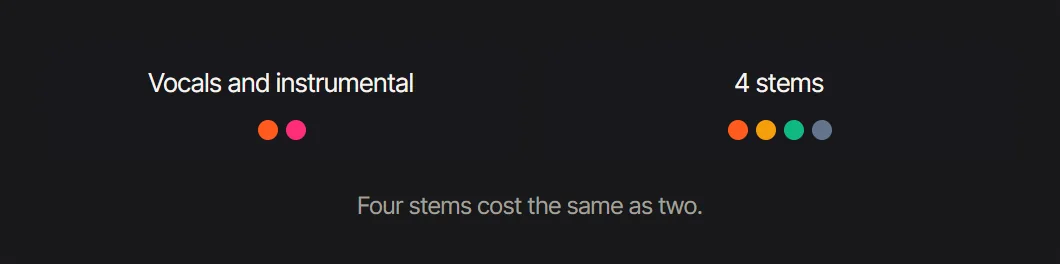 Four stems for the price of two tracks
WAV stems that line up in your DAW
Every stem has the full length of the song and starts at zero, so the files stack in time on separate tracks from the first beat. They arrive as uncompressed WAV, named after the song and the stem, ready to drag into an editor in one go. Set the tempo, loop the section you are working on and the parts stay in step.
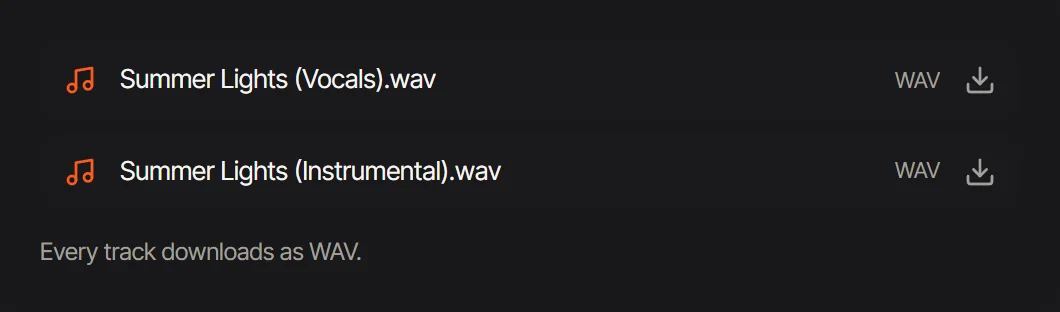 WAV downloads: named after the song and the part, uncompressed
Practice with the band, minus your part
A split song can be a practice track. Drummers mute the drums and play along with the rest; bass players solo the bass to learn every note, then mute it and play the line themselves; singers lower the vocals to work on harmonies; guitarists and keyboard players start from other, where their part sits with the band. The parts are the same files you would take into a session, not a special practice mix.
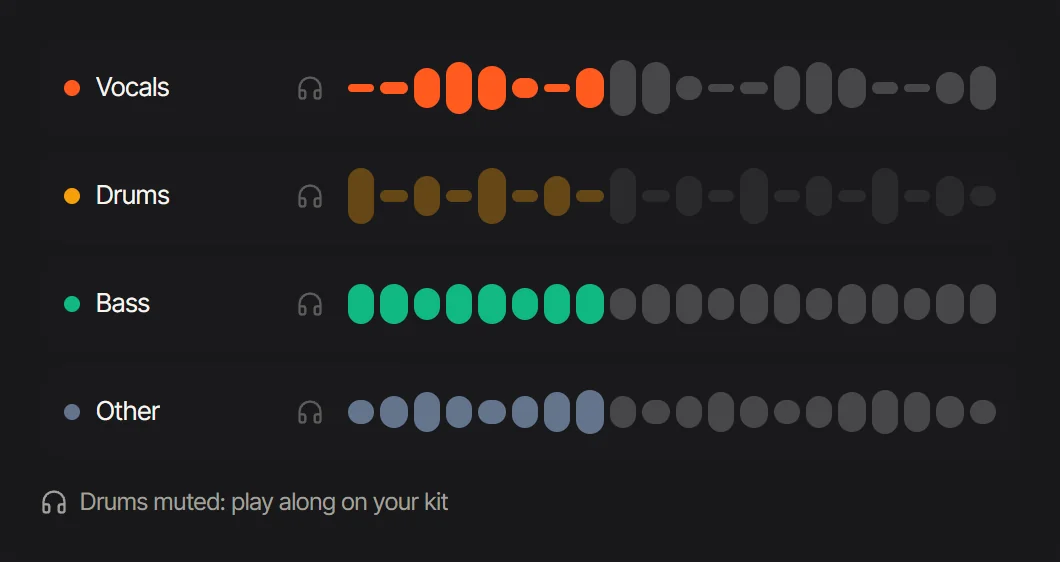 Practice: mute your own part and play along with the rest
Acapella and karaoke next door
The same songs feed the studio's other vocal tools. The acapella extractor opens with the vocals alone, reads the song's tempo, key and Camelot, and hands the vocal to the key and speed changers. The karaoke maker adds a guide vocal and the lyrics on screen, with the key moveable to suit the singer. A song you have already split opens in the acapella extractor as it is, with no second run; karaoke is a run of its own at 10 credits a minute with lyrics.
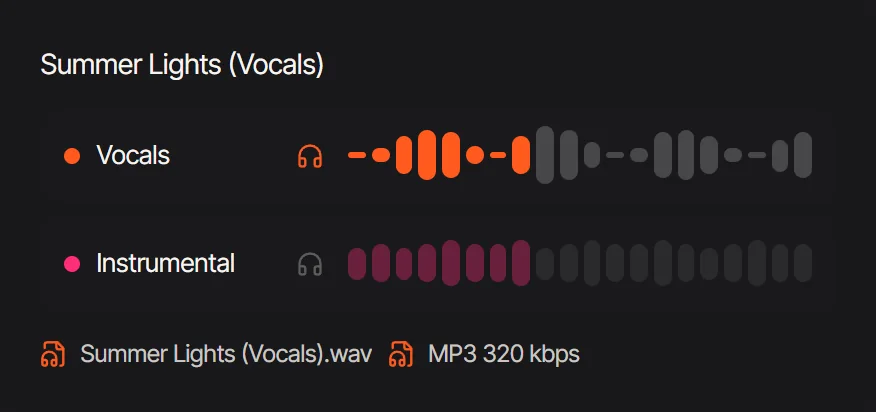 The acapella extractor: vocals first, with WAV and MP3
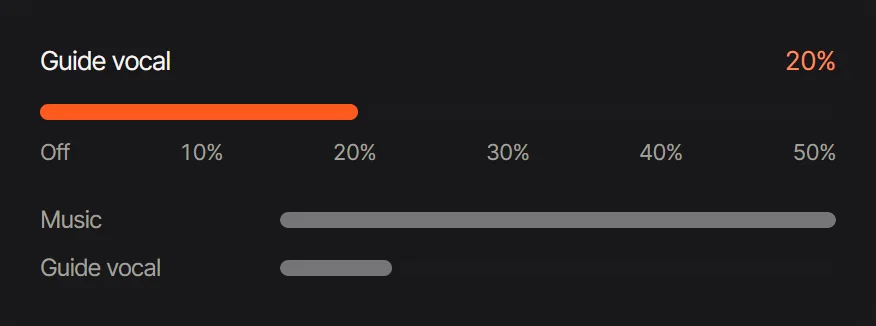 Karaoke maker: set how much guide vocal sits under the backing track
What it costs
A split costs 8 credits per started minute of the song, whatever the number of stems you download. One song can run up to 15 minutes and 200 MB. The 60 credits given at sign-up cover about 7 minutes of splitting. Starter is $9.99 for a month of 700 credits, or $7.99 a month on a yearly plan. The price is on the button before the run, and credits from a failed split return.
Four more stem splitters
LALAL extracts vocals, instrumental, drums, bass, guitar, synth, strings or wind instruments, chosen one at a time.
Fadr separates 18 stem types on Plus, with lossless 32-bit WAV downloads and 60-minute uploads.
BandLab has a free Splitter in its app and on the web that separates vocals, drums, bass and other, with guitar separation on Membership. Splitter detects the key automatically, and each track can be soloed or slowed for practice.
Ultimate Vocal Remover is a free, open-source desktop application that runs 4-stem separation models on your own computer.
How the studio's songs and stems compare with Suno is in Audio AI Studio vs Suno, and its voices against ElevenLabs in Audio AI Studio vs ElevenLabs.
FAQ
What does a stem splitter do?
A stem splitter takes a mixed song apart into its main parts, called stems. Audio AI Studio returns four, vocals, drums, bass and other, plus the instrumental, as WAV files of the same length as the song.
Which stems do I get, and what goes into other?
The vocals stem holds the lead and backing voices, the drums stem the kit and percussion, and the bass stem the low line. The other stem gathers guitars, keys, synths, strings and pads, so a part that is not a vocal, a drum or a bass lives there.
Will the files line up in my DAW?
Yes. Each stem is a WAV with the full length of the song, starting at zero, so the files sit in time when you drop them onto tracks together.
How long a song can I split?
Up to 15 minutes and 200 MB per song, in MP3, WAV, M4A, FLAC, OGG or WEBM, or a music video such as MP4 or MOV, whose sound is split.
Can I get a guitar or piano on its own?
Guitar, piano, keys, synths and strings sit together in other. Solo other in the mixer to hear them on their own, then download it as a WAV and shape the part you need in your editor.
How much does one split cost?
8 credits per started minute, shown before you start, and the same price for two stems or four. The sign-up gift splits about 7 minutes of music, and a split that fails gives its credits back.
Can I make an acapella or a karaoke track here?
Yes. The acapella extractor opens with the vocals alone and reads the song's key and tempo, and the karaoke maker builds a backing track with a guide vocal and the lyrics on screen.
Are my stems private?
Yes. A song you upload and the stems it makes are kept in your account, visible only to you, for 30 days, and longer on Pro or Studio.
Split your first song
Open the stem splitter, upload a song and solo each part in the mixer. The guide to what stems are in music explains what each part holds and how to use them in a session.
Tools in this article
- Stem SplitterSplit a song into vocals, drums, bass and other, mix them in the browser and download aligned WAV stems.
- Acapella ExtractorTake the vocals out of a song as WAV or MP3, with the tempo, key and Camelot code of the track they came from where they read clearly.
- Karaoke MakerDrop a song and get its karaoke track: the vocals out, a guide vocal at the level you choose, the key you sing in, and the lyrics lighting up.