Best Transcription Software in 2026: 5 Tools Compared
The best transcription software for meetings, interviews and video, compared by plan, price and what each tool is for, starting with Audio AI Studio.
Audio AI Studio7 min read
On this page
Looking for the best transcription software? The first tool to try is Audio AI Studio, the all-in-one AI audio studio for voices, music, vocals and transcripts. Its audio transcription studio turns a recording into an editable transcript with speaker labels and a timestamp on every word. One file can run up to 3 hours, and a finished transcript exports as TXT, SRT, VTT, DOCX, CSV or JSON. Video captions, song lyrics and dubbing live in the same account.
The sections below cover what matters in the choice, compare five tools, look closely at Audio AI Studio, and end with a short note on each of the rest.
How to choose transcription software
Most people searching for the best transcription app want a meeting written up, an interview quoted, a lecture kept, or a video captioned. These seven checks narrow the field fast:
- Speaker labels and word timings. A transcript with speakers reads like a script; word timings let you check any line against the audio in one click, rather than hunting for the moment.
- An editor that keeps up. Correcting a name should update every line, and a find and replace should clean up a term that recurs. If the editor is a separate download, the work doubles.
- The exports your workflow needs. Readers want TXT or DOCX, video editors want SRT or VTT, spreadsheets and code want CSV or JSON. Check every format before you commit.
- File length and input formats. An interview can run for hours and arrive as WAV, M4A or video. The limit and the accepted formats decide whether you need to split it first.
- Languages and accents. Automatic detection suits most recordings; a manual choice helps with strong accents, mixed conversations and openings that are music or silence.
- Price per minute, and what happens on failure. Work out a normal month at your own volume, and check that a run that fails returns its credits.
- How it handles your own audio. Try a minute you know word for word: names, jargon and accents are where transcripts slip. A tool that lets you correct the text against the audio saves the most time.
The best transcription software at a glance
| Tool | Made for | Price and limits |
|---|---|---|
| Audio AI Studio | Transcription with speakers and word timings, plus video captions, lyrics and dubbing | 2 credits per started minute; a sign-up balance covers about 30 minutes |
| Descript | Editing video and audio by editing the transcript | Free plan with 60 minutes a month; Hobbyist $16 per person a month billed yearly |
| Riverside | Recording video and audio, with unlimited transcriptions on Pro | 14-day free trial; Pro $29 a month, or $24 a month billed yearly |
| Otter | Meeting notes and live transcription | Free plan with 300 transcription minutes a month; Pro $16.99 per user a month |
| Sonix | Pay-as-you-go transcription, translation and subtitles | $10 an hour as you go, or Core $25 a month; 30-minute free trial |
A transcript and a dubbed version of the same recording come out of one balance, so a month of work is one bill rather than one per tool.
Audio AI Studio: a transcript you can check word by word
Podcasters, journalists, course authors, meeting hosts and video teams get the most from it. For them the transcript starts the work rather than ending it, and the editor, the subtitles and the video tools sit in the same studio.
Choose the file, then check it by ear
The audio to text converter starts from the file. Drop in an MP3, WAV, M4A, AAC, FLAC, OGG or WEBM recording, or the sound of an MP4, MOV or MKV video, and pick the output you need before anything uploads.
The transcript comes back in a browser editor with a timestamp on every word: click one and the audio plays from that moment, or double-click a paragraph to fix it. Proofreading then takes one pass rather than a hunt through the waveform, whether you are checking an interview quote, a product name or a number that decides a sentence.
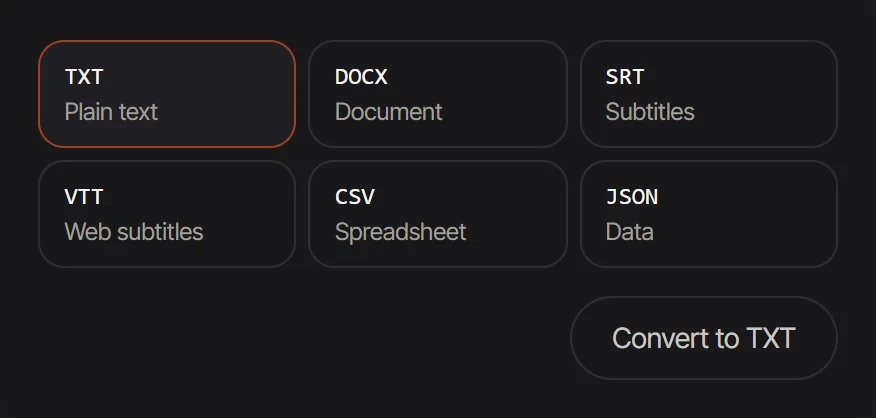 Pick the output first: six cards, one per format
Speaker labels, with the names you choose
Speakers are told apart automatically and marked Speaker 1, Speaker 2 and so on, so a four-person meeting reads clearly from the first line. Replace a label with a real name once and every line updates. Sound events such as laughter or applause can be marked too, which helps a lecture or a panel read the way it sounded.
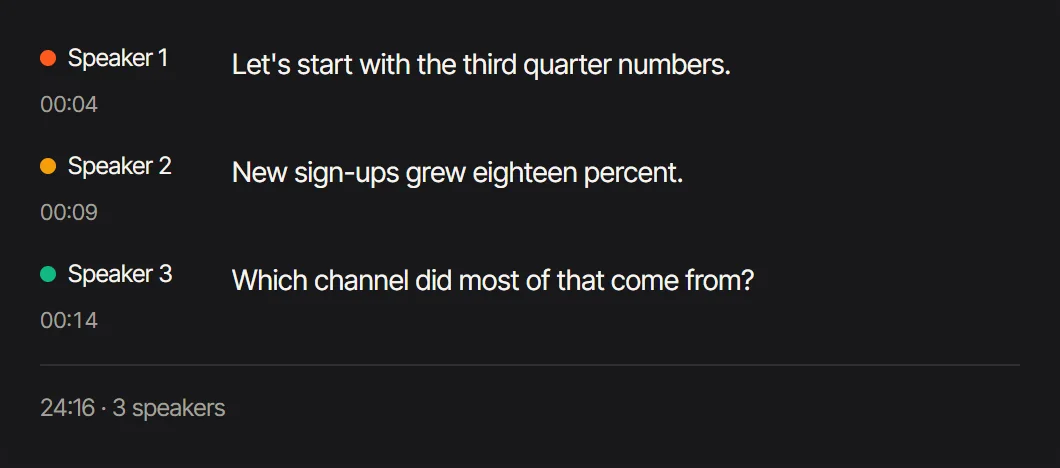 Speaker labels: every line carries the speaker's label
Six formats from one transcript
A finished transcript is rarely the only file you need. Export plain TXT for reading, DOCX for a word processor, SRT and VTT subtitles whose short lines follow the speech, or CSV and JSON with every line's speaker, start and end for a spreadsheet or code. The subtitles keep each line to 42 characters, or 16 Chinese characters, at most two lines, so they are ready for a video editor or a player.
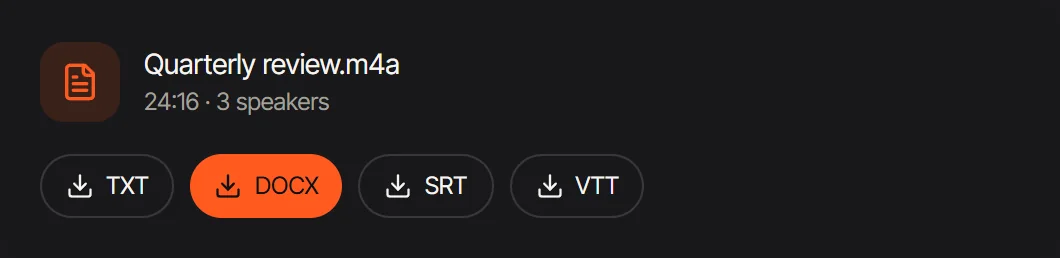 Four of the six exports: TXT, DOCX, SRT and VTT
Long recordings in one file
A whole lecture, a full interview or a long call can go in as one file of up to 3 hours and 1 GB. The studio takes MP3, WAV, M4A, AAC, FLAC, OGG and WEBM, and video such as MP4, MOV or MKV, whose sound it transcribes while the picture stays out of the upload. Credits count per started minute and show on the button before anything runs.
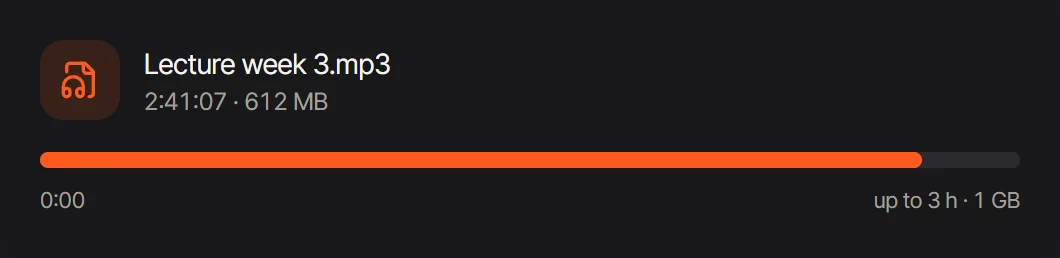 A long lecture: the upload limit is 3 hours and 1 GB
Video, lyrics and dubbing in the same studio
The transcript engine also works next door. The video to text studio plays a video from your device, transcribes its sound and draws short captions on the picture, so you can check the timing before you export. The lyrics transcriber turns a song into timed lines and sections, and the audio translator transcribes a recording and dubs it in another language, one editable line at a time.
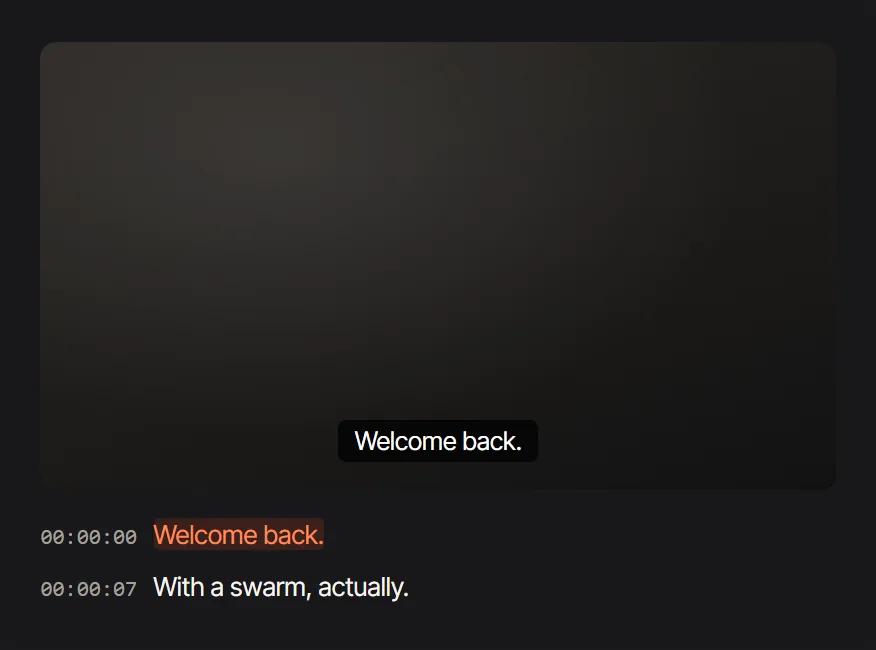 Video to text: captions follow the picture and the transcript on one clock
What it costs
Transcription costs 2 credits per started minute, whatever the language or the export. A new account starts with 60 credits, roughly 30 minutes of audio. On a plan, Starter gives 700 credits for $9.99 a month ($7.99 a month when paid yearly). The price appears on the button before anything runs, and credits from a run that does not finish come back.
Four more transcription tools
Descript edits video and audio by editing the transcript.
Riverside records video and audio, and its Pro plan includes unlimited transcriptions.
Otter is made for meeting notes and live transcription, with speaker identification.
Sonix sells transcription by the hour and bundles translation and subtitles with it, in 54+ languages.
For one-to-one comparisons, read Audio AI Studio vs ElevenLabs and Audio AI Studio vs Suno.
FAQ
How much does it cost to transcribe a recording?
On Audio AI Studio, 2 credits per started minute, counted from the length of the file and shown before you start. A new account's 60 credits cover about 30 minutes, and a failed run returns its credits.
What is the longest recording I can upload?
Up to 3 hours and 1 GB in one file, in MP3, WAV, M4A, AAC, FLAC, OGG or WEBM, plus video such as MP4, MOV or MKV. For a longer recording, split it and transcribe the parts.
Will the transcript label different speakers?
Yes. Speakers are separated automatically and marked Speaker 1, Speaker 2 and so on. Rename one label and every line that speaker says changes with it.
Which formats can I export?
TXT, DOCX, SRT, VTT, CSV and JSON from every run. SRT and VTT carry short timed lines for video, while CSV and JSON keep each line's speaker and times for a spreadsheet or code.
Can I edit the transcript before exporting?
Yes. Click a word to hear it, double-click a paragraph to rewrite it, rename a speaker once and use find and replace for a recurring term. Every export uses the edited text.
Which languages does it transcribe?
Automatic detection handles most files. Choose the language by hand for heavy accents, a conversation that mixes two languages, or a recording that opens with music or silence. Besides automatic detection, you can pick one of 20 languages by name, from English, Chinese and Spanish to Arabic, Hindi and Vietnamese.
Are my recordings private?
A recording and its transcript sit in your own account, visible only to you. The library keeps them for 30 days, and longer on Pro and Studio.
Does it work for video and songs?
Yes. The video to text studio transcribes the sound of a video and times its captions, and the lyrics transcriber turns a song into lines and sections with word timings.
Transcribe your first recording
Open the transcription studio, upload a file and read the first minute back in the editor. The guide to transcribing audio to text covers recording, languages and the formats that fit each job.
Tools in this article
- Transcribe AudioTurn a recording into an editable transcript with speaker labels and word timestamps, then export TXT, SRT, VTT, DOCX, CSV or JSON.
- Audio to TextPick the file you want first, then drop a recording: plain text, a DOCX document, subtitles, a spreadsheet or JSON.
- Video to TextPick subtitles or text, drop a video, and get your file the moment it is ready, with the subtitles playing on your own picture.