
Echo and reverb remover for voice
Echo Remover for Audio and Video Recordings
This echo remover takes the room out of a voice recorded in a bathroom, a stairwell, an empty flat or a hall, so it sounds close and dry. Keep a little of the room if you like, after the run and at no cost, then download an MP3, a WAV or your video with the picture untouched.
A walkthrough filmed in an empty new flat
Empty room echo · Video · English · Studio voice
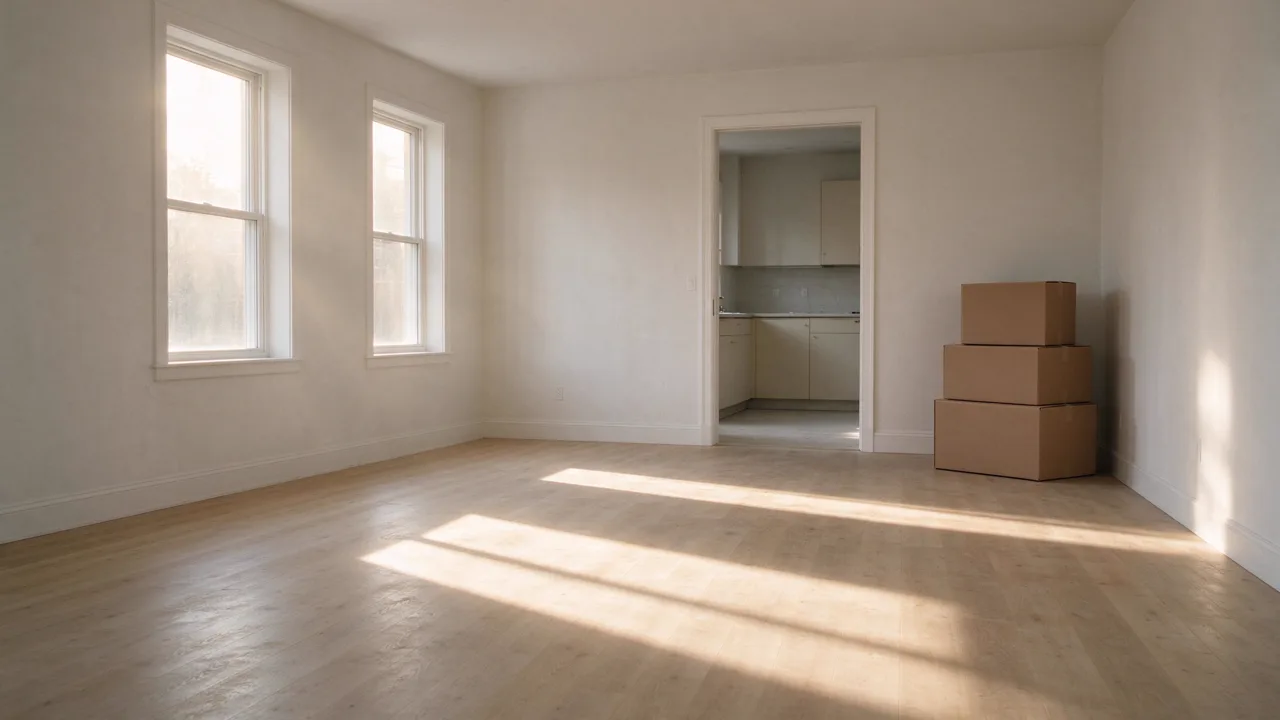
Made dry in this studio, exactly as it came out. Switch tracks while it plays.
- per recording or video
- 60 min
- goes up from a video
- Sound only
- room sound kept, set after the run
- 0 to 100%
- heard side by side on a sample
- Both modes
- to try before the whole file
- First minute
- a minute, shown before you start
- 15 credits
How do you remove echo from audio?
To remove echo from audio or video, open the file in the echo remover and run Studio voice: it rebuilds the voice close and dry, without the room’s reflections. Listen against the original at the same moment, keep as much of the room as sounds natural, and download the audio or the same video with the picture untouched.
How to remove echo from audio in three steps
Open the file, try the first minute, and download when it sounds right.
Open a recording or a video
Drop in an MP3, WAV, M4A, FLAC or OGG file, or a video such as MP4 or MOV. From a video only the sound goes up, taken out on your device. Studio voice runs up to 60 minutes, Clean up to 2 hours.
Remove the echo
Studio voice is chosen for you. Try the first minute, or run the whole file; the price is on the button before you start.
Listen, set and download
Switch between the original and the result at the same moment, choose how much of the room to keep, and download an MP3, a WAV or the video.
What this echo remover gives you
Every sample on this page was recorded in a room on purpose and made dry here. Here is what it shows.

Bathrooms, stairwells, halls and empty rooms
Each room rings differently: a bathroom close and bright, a stairwell with a flutter between its walls, a hall long and dark. Each one came out dry. We measured the sound left just after the words on every sample, before and after, and our listening check heard every word kept and the same speaker on every sample.
Studio voice and Clean on the same recording
Studio voice rebuilds the voice without the room, so it is the one for echo. Clean keeps your own recorded voice and takes noise away; on the bathroom sample it left most of the echo in. That sample has both: hear the difference before you pay for a run.
Keep some of the room
A bone-dry voice can sound pasted onto a video. The slider brings back as much of the original room as you like, from 0 to 100%, while the voice stays as loud. It is set after the run, in your browser, at no cost.
Remove echo from a video, picture untouched
Drop an MP4 or MOV: only its sound goes up, and the video comes back with the picture copied as it was and the dry voice under it. While you listen, the picture plays along.
Try the first minute
Run the first minute of a long recording, listen, then run the rest: the minute you tried is not charged again.
Echo on calls and streams: stopped as you record
On a live call or a stream, the echo is a speaker playing back into a microphone, and the steps shown here stop it at the source. For a recording you already have, Studio voice takes the room out afterwards.
Echo remover samples
Lines read by voices from our library, put in five rooms made for them, then made dry by this echo remover exactly as it came out. Switch between the original and the result while it plays.
Echo remover guide: rooms, reverb and better recordings
Echo or reverb?
Strictly, an echo is a reflection you hear as a separate repeat, like a shout across a valley. Reverb is thousands of reflections blended into a tail, the sound of a room. A voice recorded in a bathroom or a hall has reverb, but most people call it echo, so this page uses both words. A reverb remover and an echo remover do the same job on speech: they take the room out.
Why your recording sounds echoey
Hard surfaces reflect sound: tiles, glass, concrete and bare walls. The farther the microphone sits from your mouth, the more of the room it hears compared with your voice. A phone on a table across an empty room hears mostly room; the same phone near your mouth hears mostly you.
Remove reverb from audio: which mode
Studio voice is the reverb remover: it rebuilds the voice close and dry, and in our listening check every word was kept on every sample. On this page’s stairwell message the rebuilt voice sounds slightly processed; keeping 10 to 20% of the room softens it.
Clean keeps your own recorded voice, so much of the room can stay with it. Use it when the problem is noise, such as a fan or traffic, and the room sounds fine. For noise and echo together, Studio voice takes both away.
Try the first minute in Studio voice, and compare it with the original at the same moment before you run the whole file.
Record with less echo next time
Move the microphone closer: half the distance to your mouth makes the room much quieter against your voice. Soft things soak up reflections, so a sofa, curtains, a rug or a wardrobe full of clothes behind you all help. Face into the room rather than into a bare wall.
- 1Keep the microphone a hand’s width or two from your mouth.
- 2Record in the room with the most soft things in it.
- 3Hang a blanket behind you for a quick fix.
- 4Leave the tiled rooms for singing in the shower.
Echo on calls, meetings and streams
When people hear themselves a moment later on a call, a speaker is playing their voice back into someone’s microphone. Headphones for everyone stop it, and so does one open microphone per room with the speakers turned down. A stream that doubles a voice has the same microphone captured twice; keep one. These are fixed as you record, and for a recording you already have, the echo remover takes the room out afterwards.
Echo remover, noise remover or enhancer?
All three run the same engine. The echo remover starts on Studio voice and keeps the room to taste; the background noise remover starts on Clean, for wind, traffic and hum, and plays what it removed; the audio enhancer offers both modes with the word check for long recordings.
What people use an echo remover for
Anywhere the room got into the recording.
Videos at home
Walkthroughs, vlogs and tutorials filmed in rooms with bare walls.

Podcasts
Shows recorded in a bathroom, a kitchen or a small tiled room.

Voice messages
Messages and memos left in a stairwell or a hallway.
Speeches and talks
Talks recorded from the back of a hall or a church.
Echo remover FAQ
More audio tools




Try the echo remover on your recording
Open a recording or a video, run the first minute in Studio voice, and keep as much of the room as sounds right.