
TikTok TTS
TikTok Voice Generator with Timed Captions and 9:16 Video
This TikTok voice generator turns a short script into an AI voiceover for TikTok, Reels and Shorts, with timed captions that light each word as it is said and a 9:16 video made right in your browser. Pick a format, see how many seconds it runs before you start, and post the same day.
- short-video formats, set up for you
- 8
- length ruler before you generate
- 15 · 30 · 60 s
- 9:16 caption video in your browser
- 1080 × 1920
- captions timed word by word
- SRT · VTT
- preset voices, plus your own
- 400+
- credits per 1,000 characters
- 10
What is a TikTok voice generator?
A TikTok voice generator reads your script aloud as an AI voiceover made for short video and gives you captions timed to every word. Here you paste a script, pick a format and a voice, and get an MP3 with SRT and VTT captions plus a 1080 × 1920 caption video. The voices are this site’s own original voices, and every format starts on one picked for quick, clear short video delivery.
How to use the TikTok voice generator in three steps
Pick a format, check the length, then make the voiceover and its video.
Pick a format or paste your script
Choose Storytime, Scary story, News recap or another of the eight formats. It sets the voice, speed and delivery and adds an opening line you can rewrite.
Check the length and the voice
The ruler shows about how many seconds your TikTok voiceover runs against 15, 30 and 60 second marks before any credits are used. Change the voice or speed and it moves with you.
Generate, then make the video
Listen, download MP3, WAV, SRT or VTT, then make the 9:16 caption video on a colour or your own picture, or put the voiceover on your own clip.
A TikTok voice generator built for short video
This TikTok voice generator keeps the voice, the length, the captions and the vertical video in one place, so a clip goes from script to upload in a few minutes.

Eight TikTok voice formats, set up for you
Storytime, Post story, Unboxing and review, Kitchen and life hacks, Travel POV, Scary story, News recap and Motivation. Each format picks a voice, a speed and a delivery that suit it and fills in an opening you can rewrite. Change any of them before you generate.
Know the length before you start
The length ruler works out your voiceover from the chosen voice’s own measured reading rate and speed, against 15, 30 and 60 second marks. Past your mark, it says about how many words to cut. It follows you as you type and uses no credits.
Timed captions, one word lit at a time
Captions come from the voiceover’s own word timings: one short line of a few words, with the word being said lit in yellow. The same captions download as SRT and VTT, so your editor shows exactly what the video shows.
A 9:16 caption video with every TikTok voiceover
Make a 1080 × 1920 MP4 of the voice and its captions on a plain colour or a picture of your own. It is made right in your browser at no extra credits, as an H.264 MP4 at the vertical size TikTok, Reels and Shorts use.
Your own clip, with the voiceover and captions
Drop in a vertical clip you filmed and get it back with the voiceover as its sound and the captions burned in. A clip shorter than the voice plays again from the start until the voice ends.
Original TikTok AI voices, all our own
Every voice here is this site’s own: 400+ preset voices with social and narration voices listed first, plus any voice you design or clone. A bright, quick voice suits hacks and reviews; a deep, calm one carries a long story.
TikTok voice generator samples
Each sample was made with this tool: the voiceover, its timed captions and the 9:16 caption video. Use this script opens it in the studio with the same format and voice.
Clear on price, private by default
What you can count on with every TikTok voiceover.
Only you see your scripts
Scripts and voiceovers stay in your own library, and every caption video is made on your own device.
The price on the button first
Credits show on the button before a run, and you only spend them on voiceovers you get.
Original voices of our own
Every voice has a name of its own, and each format starts on a voice we chose by ear for short video.
TikTok voice generator guide: formats, length and captions
What is the TikTok voice everyone uses?
The narrator voices you hear on so many clips come from TikTok text to speech, built into the app’s video editor. It is the quickest choice when a clip is made and posted inside the app, and it works like this:
- 1Record or upload your clip, then tap Text and type a line.
- 2Tap the text on screen and choose Text to speech.
- 3Pick one of the app’s voices, tap Done, and the line is read whenever it appears.
When an outside TikTok TTS helps
A TikTok text to speech tool outside the app helps when you want the audio as a file, a voice of a different kind, captions timed to each word, a finished 9:16 video, or the same voiceover on Reels and Shorts too.
For the bright, clear and quick feel people ask about, start with an upbeat young creator voice, as the Unboxing and Kitchen formats do. For a calm storyteller, pick a deep narration voice, as Post story does. Every voice on this page is our own original voice, so your channel sounds like your channel.
Writing scripts for each TikTok voice format
A short video wins or loses its viewer in the first two seconds. Open with the hook, keep sentences short, give each sentence one picture on screen, and end with one clear call to action.
- 1Storytime: start in the middle of the moment, then tell what happened next.
- 2Post story: read the post’s title as the hook, then the story in the first person.
- 3Unboxing and review: first impression, three details, then a verdict.
- 4Kitchen and life hacks: the problem, the trick in one line, then the result.
- 5Travel POV: put the viewer in the place with “you”, one sense per line.
- 6Scary story: slower lines, short sentences and a pause before the turn.
- 7News recap: three stories, a sentence or two each, then where to find tomorrow’s.
- 8Motivation: one idea said three ways, ending on something to do today.
Put [pause] where you want a full beat of silence, such as before a twist or a punchline.
How long should a TikTok voiceover be?
At a typical voice and speed 1, English runs at about 2.8 words a second: about 40 words fill 15 seconds, 85 words fill 30 seconds and 165 words fill a minute. Chinese runs at about 4 characters a second, so about 60, 120 and 240 characters.
Every TikTok AI voice reads at its own pace, and the speed setting moves it from 0.75× to 1.2×. The ruler in the studio works the length out for the voice and speed you chose and says about how many words to cut to reach your mark.
Captions and vertical video
Vertical video is watched on a small screen, often with the sound down, so the captions carry the message. One short line of a few words reads at a glance, and lighting the word being said keeps the eye moving with the voice. The captions sit in the middle band of the frame, clear of the buttons and the description at its edges.
The 1080 × 1920 MP4 is made on your device. Download the SRT or VTT file too when you finish a clip in a desktop video editor: its captions match the video word for word.
Labeling a TikTok AI voice
TikTok asks creators to label content with realistic AI generated audio or video. Turn on the AI generated content label when you post, as the TikTok help page on AI generated content explains. Every MP3 from this TikTok voice generator also carries an AI label in its file tags.
Your own voice, other languages and more tools
For a voice nobody else has, design one from a description or clone your own, then use it with any format. Text to speech reads 36 languages for longer scripts, the narrator voice generator adds music under documentary and trailer narration, the AI voice changer turns your own recording into another voice, and the subtitle generator captions a clip you already filmed.
What creators make with a TikTok AI voice

Storytime and confessions
A first-person story in a warm, quick voice, with captions that keep viewers reading to the end.

Product reviews and unboxings
An upbeat voice for the first look, the details and the verdict, over your own clip of the box.

Recipes and kitchen hacks
The trick in a few quick lines that fit 30 seconds, every step captioned as it is said.

Travel diaries and POV clips
A curious voice that puts viewers in the place, over your own footage or a still from the trip.
Scary stories
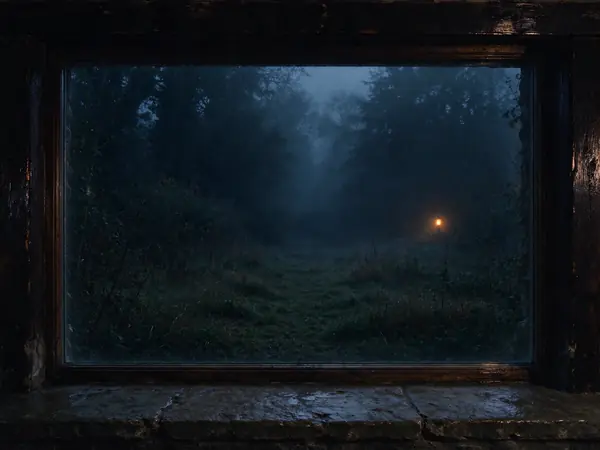
A low or hushed voice, a [pause] before the turn, on a dark caption video.

Daily news recaps
Three headlines in a clear, steady TikTok voice, made fresh each morning from your own notes.
What a TikTok voiceover costs
The TikTok voice generator costs the same as text to speech: 10 credits per 1,000 characters, 17 in HD, and a Chinese character counts as two. Captions, files and the 9:16 video add nothing. Move the slider to your script’s length.
Script length
900
Credits
9
HD 16
About this long
1 min
10 credits per 1,000 characters, rounded up (HD: 17); a Chinese, Japanese or Korean character counts as two. Up to 30,000 characters per run (8,000 of Chinese, Japanese or Korean).
TikTok voice generator FAQ
More AI voice tools


Make your next TikTok voiceover
Pick a format, paste your script, and the TikTok voice generator has it ready in seconds, captions and video included.