
Free in your browser, no sign-up
Read PDF Aloud, Starting the Moment It Opens
Read PDF aloud without installing anything: open the file and your device’s own voice starts reading. Running headers, page numbers, footnotes and citation marks are left out, the sentence being read is lit, and chapters are one click apart, all on your device.
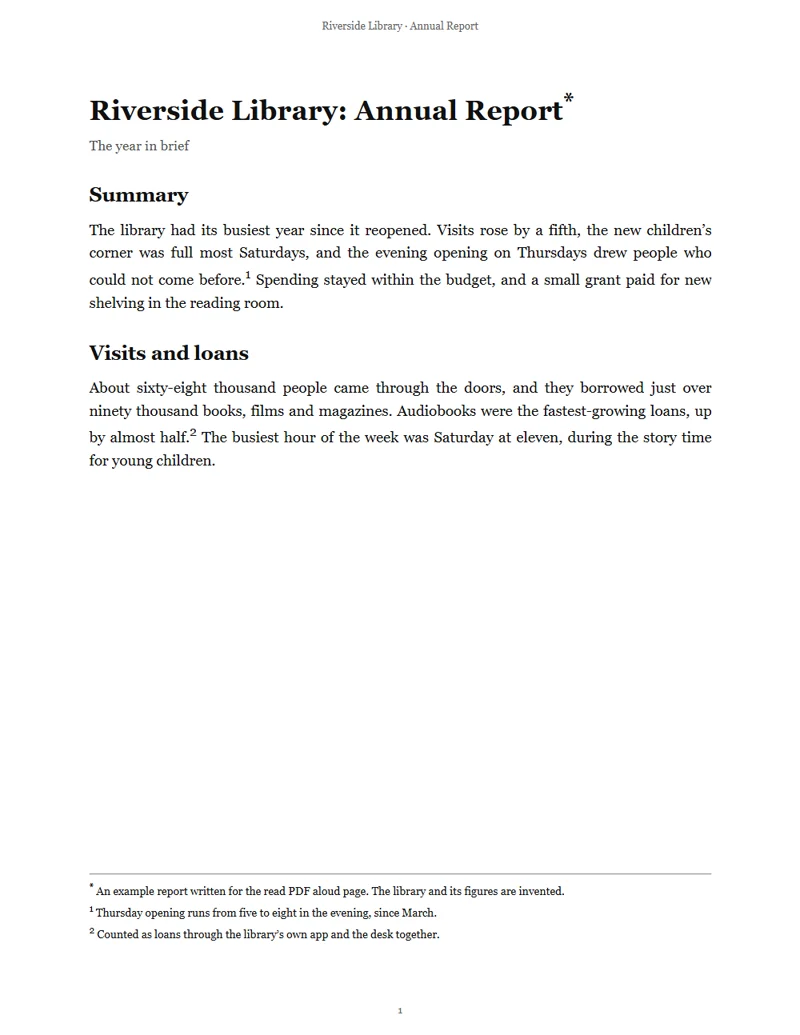
Riverside Library: Annual Report
3 pages · 1,215 characters · 14 credits
 AI voiceSutton
What is read
Riverside Library · Annual Report· Running headers and footers
Riverside Library: Annual Report*
The year in brief
Summary
The library had its busiest year since it reopened. Visits rose by a fifth, the new children’s corner was full most Saturdays, and the evening opening on Thursdays drew people who could not come before.1 Spending stayed within the budget, and a small grant paid for new shelving in the reading room.
Visits and loans
This sample plays an AI voice from the library (14 credits for the whole PDF). In the studio your device’s own voice reads it free.
Left out: Running headers and footers 3 · Page numbers 3 · Footnotes 3 · Citation marks 5
- device voices, no sign-up
- Free
- starts as the PDF opens
- Instant
- of clutter left out, shown struck through
- 5 kinds
- speed, changed while it reads
- 0.75× to 2×
- from bookmarks or headings
- Chapters
- one click away, for an MP3
- AI voice
How can I read a PDF aloud?
To read PDF aloud, open the file here: your browser reads the text on your device, leaves out what nobody wants to hear (headers, page numbers, footnotes, citation marks and the reference list) and hands the rest to your device’s built-in voices, sentence by sentence. It is free, needs no account, and the file stays on your device. For a more natural voice or a file to keep, one click sends the same PDF to a library voice.
Read PDF out loud in three steps
Open it, listen, and move around as you like.
Open the PDF
Drop a PDF with selectable text, or pick one of the samples. It opens in your browser and stays on your device.
Listen as it reads
Reading starts at once with a voice in the document’s language. If your browser asks for a click first, press play. The sentence being read is lit.
Jump, slow down, come back
Go to any chapter, tap a sentence to read from there, change the speed or the voice. Open the same PDF again and it starts where you stopped.
What this PDF reader aloud does differently
It reads the words you want, in order, and shows you what it skipped.

Reads at once, on your device
Read PDF aloud with nothing to install and nothing to sign up for. Your browser opens the PDF and your device’s built-in voices read it, so it costs nothing and the file stays with you. Some browsers also offer online voices of their own, marked online in the voice list.
Read PDF aloud without headers or footnotes
Most readers read everything on the page: the running header at every page turn, the page numbers, every [12] and every footnote in the middle of a sentence. This one leaves them out and shows them struck through, so you can see exactly what was skipped. Two columns are read left then right, and a word split at a line end is read whole.
Chapters, not just pages
Bookmarks become chapters; a PDF without them gets chapters from its headings. Jump straight to the methods of a paper or chapter four of a manual and read PDF out loud from there, or tap any sentence.
A voice in the document’s language
This PDF reader aloud recognises nine languages by their text (English, Spanish, French, German, Portuguese, Italian, Chinese, Japanese and Korean) and starts with a voice that speaks it. For any other language, every voice on your device is listed with its language for you to pick. The sentence being read is always lit, and where the voice reports each word, the word is lit too. Change the voice or the speed from 0.75× to 2× while it reads.
Picks up where you stopped
Your place is kept for each PDF in this browser. Open the same file tomorrow and it starts at the sentence you last heard, not at page one.
A natural AI voice when you want one
Device voices read free. For a voice from the library, or an MP3 to take with you, one click sends the same PDF to the PDF to audio studio, with the whole document’s credits shown on the button before anything runs.
Read PDF aloud samples
Four PDFs written for these pages and printed like real documents, each with what was left out struck through. The audio on each card is an AI voice from the library, so you hear one reading wherever you are; in the studio your own device reads them, free.
Guide: read a PDF aloud and follow along
Read PDF out loud in any browser
To read PDF aloud, open the studio, drop the PDF and listen. Every major browser has speech built in, on computers and phones. The voices are the ones your system has, so they differ from one device to the next: each system brings its own, and you can add more in its speech settings.
If nothing plays, check that the device isn’t muted and that the browser has a voice for the language. Where it has none, the reader says so and reads with another voice.
- 1Open the read PDF aloud studio.
- 2Drop your PDF, or pick a sample.
- 3Press play if the browser asks.
- 4Change the voice and speed to taste.
What is left out, and where it shows
Five kinds of text are left out: running headers and footers, page numbers, footnotes, citation marks such as [3] or (Smith, 2020), and the reference list. They stay on screen, struck through, so you can see everything that was skipped, right where it sits on the page.
Tables and charts are read as the text they contain. Text inside images and scanned pages need a text layer first; the reader tells you when a PDF looks like a scan.
Follow along to remember more
Reading along while you listen keeps your eyes and ears on the same words, which helps with long or dense documents. The lit sentence moves as the voice goes; scroll freely and it brings you back to the sentence being read.
For study, try 1.25× on the first pass and slow down to 1× for the hard sections.
Read PDF aloud with an AI voice, as an MP3
Device voices read live. For an MP3 you can play anywhere, use the button beside the reader: it takes the same PDF to PDF to audio, where a library voice reads it chapter by chapter and you download the whole document with chapter marks. That costs credits, and the total shows on the button first.
Other ways to listen
To read any text aloud, paste it into text to speech. To turn a PDF into a conversation between two hosts, try the AI podcast generator.
Who reads PDFs aloud
People use a PDF reader aloud to get through more reading with their eyes tired or their hands busy.
 AI voice · Elowen
Students
Hear course notes while the lit sentence keeps your place.
 AI voice · Dashiell
Researchers
Listen to a paper’s argument without the citation clutter.
 AI voice · Sutton
Reports at work
Get through a long report, footnotes left out.
 AI voice · Odette
Stories
Read along with a story at your own speed.
Read PDF aloud FAQ
More AI voice tools




Read PDF aloud now
Open a PDF and your device reads it out, clutter left out, the sentence lit. Free, no sign-up.