
Free, nothing to install
Tone Generator
This tone generator plays any frequency from 1 Hz to 22 kHz, set to a hundredth of a hertz, as a sine, square, sawtooth or triangle wave. Press Play a tone and it starts at once. Check your speakers left, right and in phase, sweep the whole range, and download it as WAV (up to ten minutes) or MP3 (up to an hour). It all runs in your browser.
A4 at 440 Hz, sine
The tuning A, a pure sine at −20 dBFS.
440 Hz
A4
440 Hz · Sine · −20 dBFS
- no sign-up, nothing to install
- Free
- set to 0.01 Hz
- 1 Hz to 22 kHz
- same level, no aliasing
- 4 waveforms
- a level you can read
- dBFS
- or WAV up to 10 min
- 60 min MP3
- left, right, phase, sweeps
- Speaker check
How do I play a tone at a specific frequency?
Open the tone generator and press Play a tone: it starts at 440 Hz. Type the frequency you need, or drag the slider, and the tone glides there without a click. Choose sine for a pure test tone, or square, sawtooth or triangle for a richer one, and set the level in dBFS. Download it as WAV or MP3, or copy a link that opens the same settings.
Use the online tone generator in three steps
The tone generator works the same on a laptop, a desktop with studio monitors or a phone, in any current browser.
Play a tone
The generator opens and plays 440 Hz at −20 dBFS. Start with your volume low; Space plays and stops it.
Set the frequency
Type it, drag the slider, or use the arrow keys: a semitone; with Shift 1 Hz, with Ctrl (⌘ on a Mac) 0.1 Hz, with both 0.01 Hz.
Download or share
Save any length as WAV or MP3, or copy a link that opens the same tone for someone else.
A frequency generator made for testing and tuning
Exact frequencies, clean waveforms and honest levels, with the checks that speakers and headphones need, in one online tone generator.
Any frequency, to a hundredth of a hertz
This frequency generator goes from 1 Hz to 22 kHz, or half your device’s sample rate. The slider follows the ear on a log scale, the box takes any value like 1234.56, and the arrow keys move a semitone at a time; with Shift 1 Hz, with Ctrl (⌘ on a Mac) 0.1 Hz, with both 0.01 Hz. Changes glide, so nothing clicks.
Four waveforms, with no aliasing
Sine, square, sawtooth and triangle, each built from its harmonics and stopped below the highest frequency your device can play, as the browser’s own oscillators are. In our tests of the downloaded files, every false tone stayed more than 90 dB below a square wave.
A level in dBFS, as loud for every waveform
The tone generator reads the level in dBFS: a sine at −20 dBFS peaks at a tenth of full scale. Square, sawtooth and triangle are set to the same RMS level as the sine (as loud on a meter), not the same height, and each stops where it would clip.
Notes against any A4
It names the nearest note and how many cents away it is, against A4 = 440 Hz or 432, 442, 415 or any value from 400 to 480. Handy for tuning by ear and for checking an old recording’s pitch.
A speaker and headphone check
The tone generator plays one side, the other, or both, or let them take turns with a spoken “left” and “right”, so a swapped cable shows at once. Flip the right channel to hear speakers out of phase: wide and thin instead of centred and full.
Sweeps you can stop and read
Sweep 20 Hz to 20 kHz in twenty seconds, take a bass sweep from 200 Hz down to 20 Hz for a subwoofer, or rise from 8 kHz to find the highest pitch you hear. Stop where the sound disappears or rattles and the frequency is shown.
Download any tone as WAV or MP3
Save one second to ten minutes as WAV (16 or 24-bit, 44.1 or 48 kHz) or up to an hour as MP3 (128, 192 or 320 kbps), in mono or stereo with the balance and phase you set, faded at both ends. The file is built a second at a time, so an hour needs no extra memory.
A link that carries every setting
Copy link puts the frequency, waveform, level, balance, phase and A4 in the address. It opens the same setup, waiting for Play, so a test can be repeated exactly.
Tone generator samples: twelve tones, made by the tool
Every tone below was rendered and encoded by this tone generator’s own code, the same way its downloads are made, as 320 kbps MP3: everything up to about 20 kHz comes through, and the studio plays the very top of the highest sweep in full. Each opens its settings in the studio.
Online tone generator guide: tests, tuning and downloads
Which waveform to choose in a tone generator
A sine wave is a single frequency and nothing else: the right choice for testing speakers, finding resonances, tuning and calibration. A sine wave generator is what most test procedures mean by “a tone”.
The other three add harmonics. A square wave has the odd ones and sounds hollow; a sawtooth has them all and is the brightest; a triangle has odd harmonics that fade fast and sounds soft, close to a sine. They are useful for synth sounds and for hearing how a speaker copes with a richer signal.
Testing speakers and headphones with a tone generator
Start quiet, around −30 dBFS, and turn up slowly. Then work through the check:
- 1Left and right: each side should come from its own speaker or ear only. Take turns names the side as it plays.
- 2Phase: in phase sounds centred and full; out of phase sounds wide, with less bass. If the two sound the other way round, one speaker’s wires are swapped.
- 3Sweep 20 Hz to 20 kHz: listen for where the sound starts and stops, and for buzzes or rattles along the way.
Rattles come and go at one frequency. Stop the sweep there and read it: it points to a loose panel, a shelf or a window, not always the speaker.
Subwoofers and bass
The bass sweep runs from 200 Hz down to 20 Hz in ten seconds. Most small speakers fade out somewhere between 60 and 100 Hz; a subwoofer should carry on lower. A note that booms much louder than its neighbours is the room, not the speaker: moving the subwoofer or your seat changes it.
For a steady check, set a single bass frequency such as 40 Hz with the frequency generator, play it from the tone generator and walk around the room: where it swells and where it nearly vanishes shows how the room treats the bass.
Tuning with a reference tone
A4 = 440 Hz is the standard reference pitch. Many orchestras tune a little higher, at 442 Hz, early music is often played at 415 Hz, and some musicians prefer 432 Hz, 32 cents below standard.
Pick the reference, then play the note you need: the tone generator shows its name and how many cents it sits from the nearest note, so a guitar, violin or voice can be matched by ear.
Levels, dBFS and listening comfortably
In the tone generator, dBFS measures from full scale, 0 dBFS, downwards. A sine at −20 dBFS has a peak of a tenth of full scale; the usual alignment tone for recording is 1 kHz at −20 or −18 dBFS. How loud that is in the room depends on your volume knob, so start low.
Pure tones can sound quieter than they are, especially very high or very low ones, so raise the volume in small steps and keep sessions short.
WAV or MP3 for a downloaded tone
WAV keeps the tone exactly: the level, the frequency and everything up to 22 kHz. Use it for calibration, measurements and anything above 16 kHz.
MP3 is small and plays everywhere, but the encoder drops the top of the range: everything above about 17 kHz at 128 kbps, 19 kHz at 192 and 20 kHz at 320, so a tone up there comes out silent. It can also move the level by a fraction of a decibel. The tone generator warns you; for high test tones and calibration, choose WAV.
The highest pitch you can hear
The highest-pitch sweep rises from 8 kHz to the top of your device’s range over forty seconds. Stop it when the tone disappears and the frequency is shown. Most people hear less of the top end as they get older, and many speakers and earbuds stop before 20 kHz anyway.
It shows the highest pitch you hear on these speakers or headphones at this volume. It is not a hearing test; for that, see a hearing professional.
What people use a tone generator for
Anywhere an exact, steady frequency helps, a tone generator does the job.
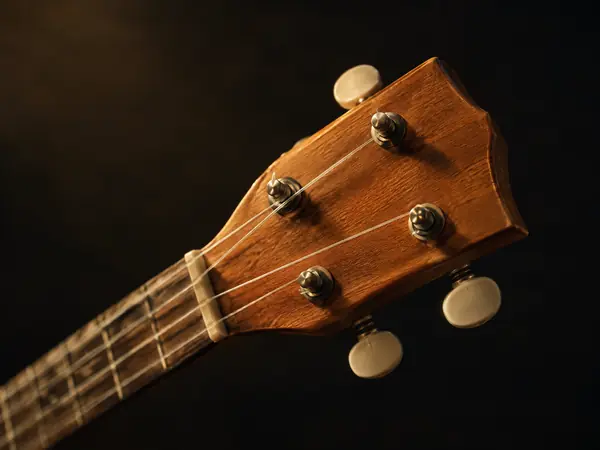
Tuning an instrument by ear
Play the reference note against A4 = 440, 442 or 432 Hz and tune until the beating stops.

Checking speakers and a subwoofer
Left, right, phase and sweeps find a swapped cable, a dead tweeter or a rattle.

The highest pitch you can hear
Sweep up from 8 kHz and stop where the sound disappears.
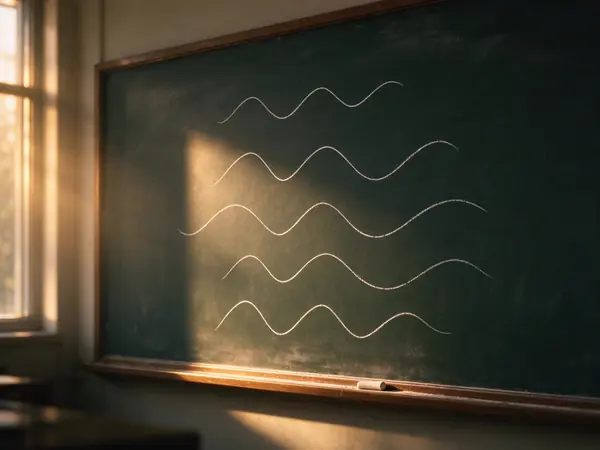
Physics and music lessons
Show pitch, octaves, harmonics and beats with tones the class can hear.
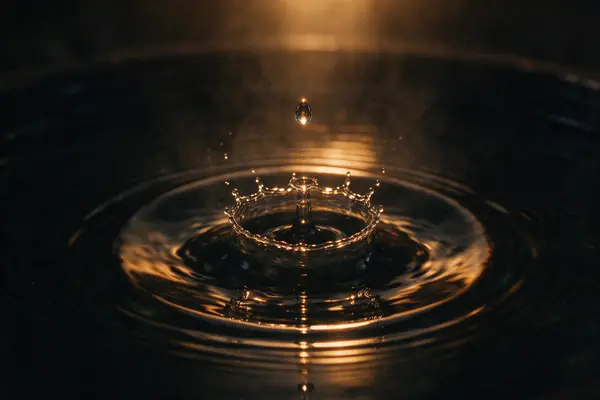
Sound and wave experiments
Drive a speaker with an exact frequency for standing waves, sand patterns or resonance.

Test tones for recording
Download a 1 kHz tone at −20 dBFS as WAV to line up levels between devices.
Tone generator FAQ
More audio tools


Open the tone generator
Press Play a tone and the online tone generator plays 440 Hz at once; then set any frequency, check your speakers or download it.